
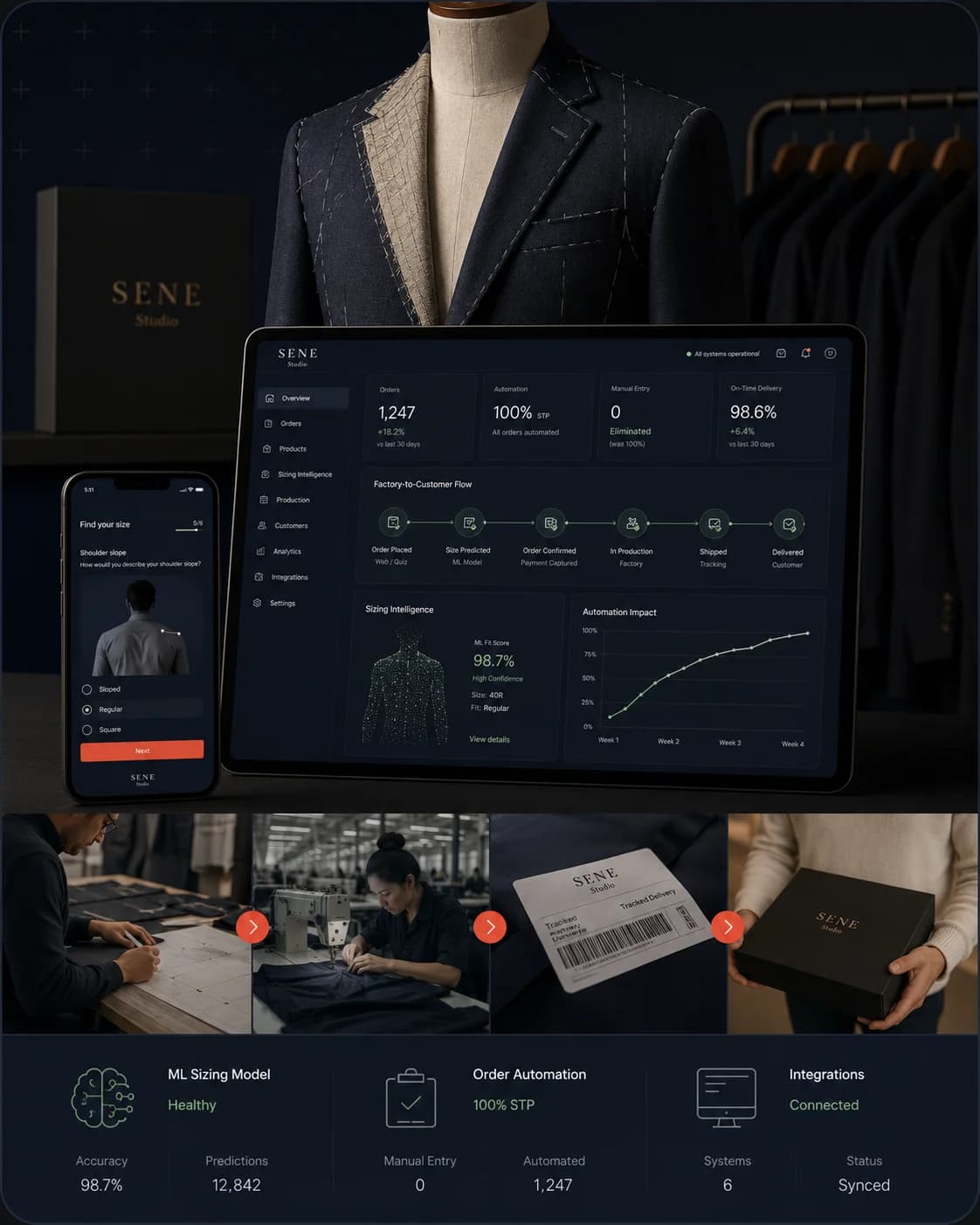
SENE Studio
Fixed a breaking ML fit quiz. Stayed for 4 years.
- 100% manual order entry eliminated
- Full factory-to-customer automation
$10M+ revenue processed
A Shopify CRO audit and one-quarter rescue for complex stores doing $10M–$20M. We find the broken logic, deprecated Scripts, and silent app conflicts that native Shopify CRO checklists miss—and recover $75,000+ per year, guaranteed.
Shopify Functions can't replicate Scripts one-for-one. When Scripts shut down, custom checkout discounts, B2B tiers, and wholesale math don't error—they quietly process orders at the wrong prices. We've seen stores leak $8K–$15K a month before anyone noticed.
Theme tweaks won't fix what's actually breaking your conversion. Custom pricing, configurator depth, subscription tangles—that's where $10M+ stores in the US, UK, and Canada bleed revenue. That's where we work.
Account-specific pricing, ZIP-based delivery rules, customer-tier discount logic, wholesale approval flows. Native Shopify B2B handles the easy 60%. The other 40% is where the revenue lives.
Industrial products, modular bundles, made-to-order goods. You've hit Shopify's variant ceiling and bolted on three apps to get past it. Each one is a future failure point. We rebuild configurator logic so it scales without the app sprawl.
Recurring billing alongside one-off purchases, mid-cycle swaps, paused subscriptions, ReCharge-adjacent stacks held together with Liquid hacks. We map the full flow, find where it silently fails, and stabilize it.
SENE / Senestudio - Premium Fashion Brand
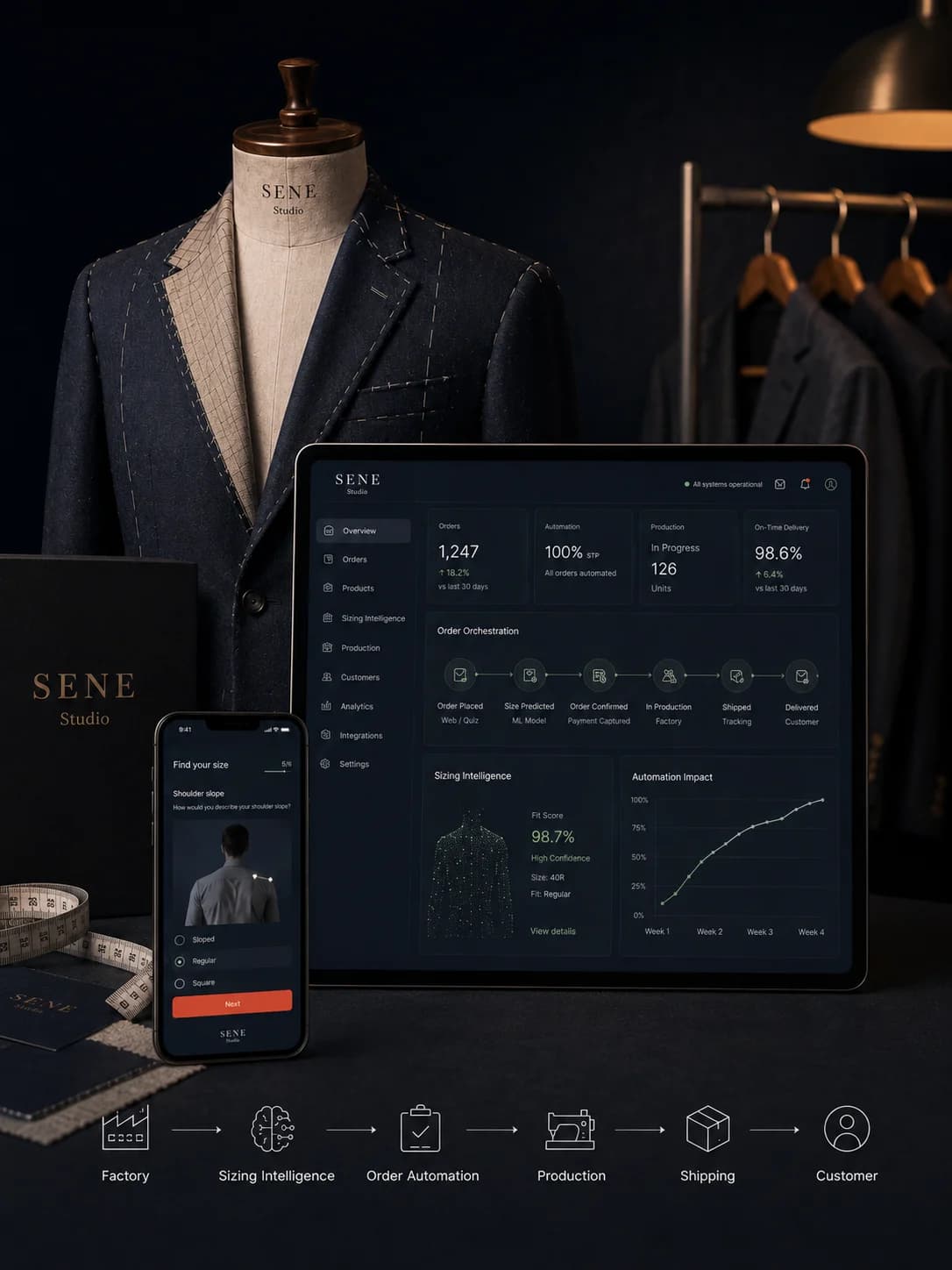
Sene's custom sizing quiz was fragile and undocumented. It broke in production. Customers took the quiz, but quiz-to-cart conversions failed. They had a scaling Shopify store but zero technical ownership.
We didn't patch the code. We stabilized the system and took full ownership of their technical operations. Over six years, we rebuilt their backend, engineered factory-to-customer automation, and built Talio—a custom ML size-prediction model trained on their data. We operate as their dedicated engineering team.
Three steps. Zero decision fatigue. Delivered by Hazn—our AI agent orchestration framework.
Learn more →
Join 50+ scaling companies running on the revenue systems we engineer. / Only 2 spots remaining for this quarter.
Autonomous Technologies transformed our entire technical operation. What started as a simple Shopify project became a four-year partnership that automated everything from ordering to customer service.
What sets Autonomous apart is how deeply they understand the business problem, not just the technical one. They built systems we didn’t even know we needed.
We needed a technical partner who could handle the complexity of our attribution setup and actually make our data trustworthy. Autonomous delivered clarity where we had chaos.
Most agencies implement off-the-shelf tools. We engineer our own. Two of ours are in market. Each one started as a real business problem that needed a permanent solution..
Memox
B2B AI sales agent for equipment dealers Responds to inbound leads across voice and chat in under 5 seconds, 24/7. We understand B2B wholesale complexity because we build the software that drives it.
Hazn
Hazn powers the 7-track diagnostic pipeline we use to map hidden revenue leaks, custom code, and app conflicts in your Shopify store.
We take three Revenue Rescue clients per quarter so every engagement gets real engineering attention. Two spots remain this quarter.
$75,000/yr recoverable or full refund.
You keep every deliverable.
Delivered in 30 days or 25% off.
Clock starts on access, not contract.
Actionable roadmap or we redo the strategy call.
No hand-wavy advice.
Implementation rates locked 90 days.
If you proceed to The Rebuild.
No pitch decks. Just a conversation about your stack and what you’re trying to achieve.
A 90-day engagement with three phases. First, a deep audit of your UX, copy, technical setup, analytics, and checkout logic—surfaced through Hazn, our 7-track diagnostic pipeline. Second, we fix the broken Scripts, app conflicts, and silent revenue leaks the audit finds. Third, we hand off the full roadmap, the code, and the instrumentation so the recovery holds. Fixed price: $7,500.
Most Shopify CRO agencies sell theme tweaks, A/B tests, and abandoned-cart sequences. That works for stores doing under $5M. Above $10M, the leaks aren't in your CTA color—they're in custom pricing logic, deprecated Scripts, configurator depth, and subscription flows that no off-the-shelf CRO playbook touches. We fix the broken logic underneath. The conversion lift comes after.
Shopify Scripts shut down on June 30, 2026. Every Plus store running custom checkout logic—tier discounts, B2B pricing rules, wholesale math, free-gift triggers—has to migrate to Shopify Functions before that date. Functions can't replicate Scripts behavior one-for-one, so a lift-and-shift breaks. Stores that don't catch the gap process orders at the wrong prices for weeks before anyone notices.
Yes—it's our largest segment. We work with Shopify Plus B2B stores running account-specific pricing, ZIP-based delivery rules, customer-tier discount logic, wholesale approval flows, and B2B portal customization. Native Shopify B2B handles the easy 60%; the other 40% is where the revenue lives, and where we work. Common engagements include Scripts-to-Functions migration on B2B price lists and rebuilding wholesale checkout logic that's outgrown its app stack.
Before we start, we agree the measurement framework with you—what counts as recovered revenue, how we attribute it, what the baseline is. Inside 90 days, we have to show $75,000 in annualized recoverable revenue from leaks plugged and gains made. If we can't prove it against the framework we agreed, the full $7,500 fee is refunded. You keep every deliverable either way.
30 days for the audit and the first round of fixes, 90 days end-to-end. The 30-day clock starts when we have access to your store, analytics, and code repository—not on contract signature. If we miss the 30-day delivery, you get 25% off the fee. The remaining 60 days handle deeper fixes the audit surfaces and stabilization work.
We refund our margin—50% of the total fee—and you keep every line of code, every fix, every diagnostic report, and the full roadmap. No retention games, no clawbacks, no NDA hostage situations. The work we did is yours regardless of the outcome.
Either. Most of our engagements run alongside an existing in-house developer or freelancer—we handle the Shopify-specific complexity (Scripts migration, B2B pricing logic, configurator depth) while your dev team continues with feature work. For stores without dedicated Shopify engineering, we operate as the dedicated team. We've done both for the same client across a multi-year partnership.