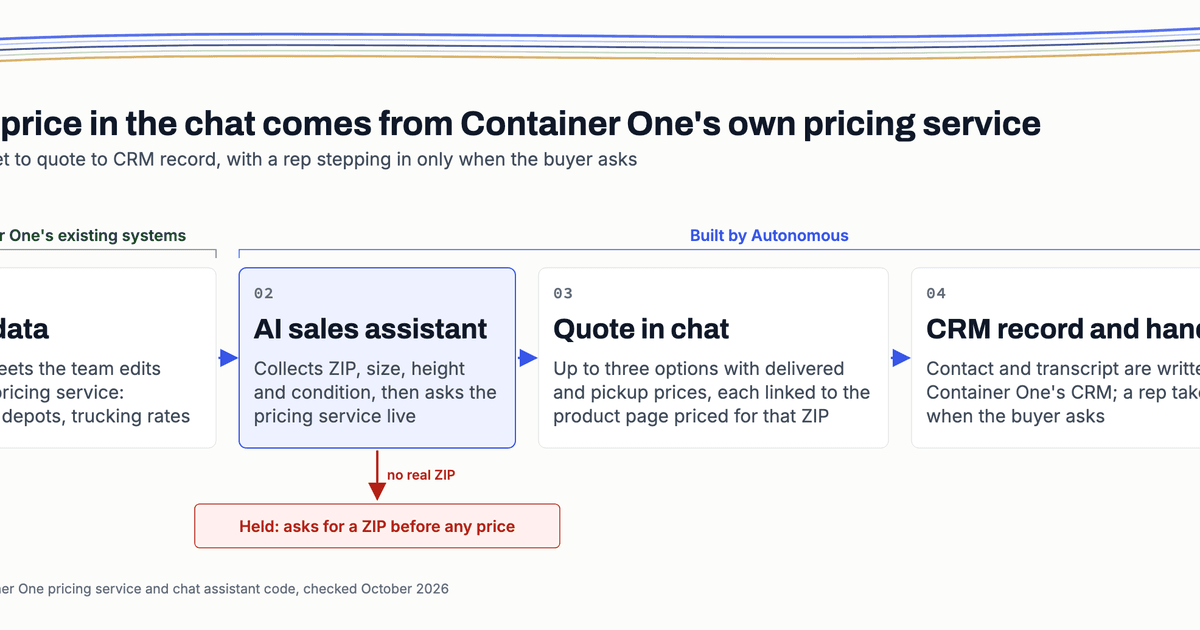
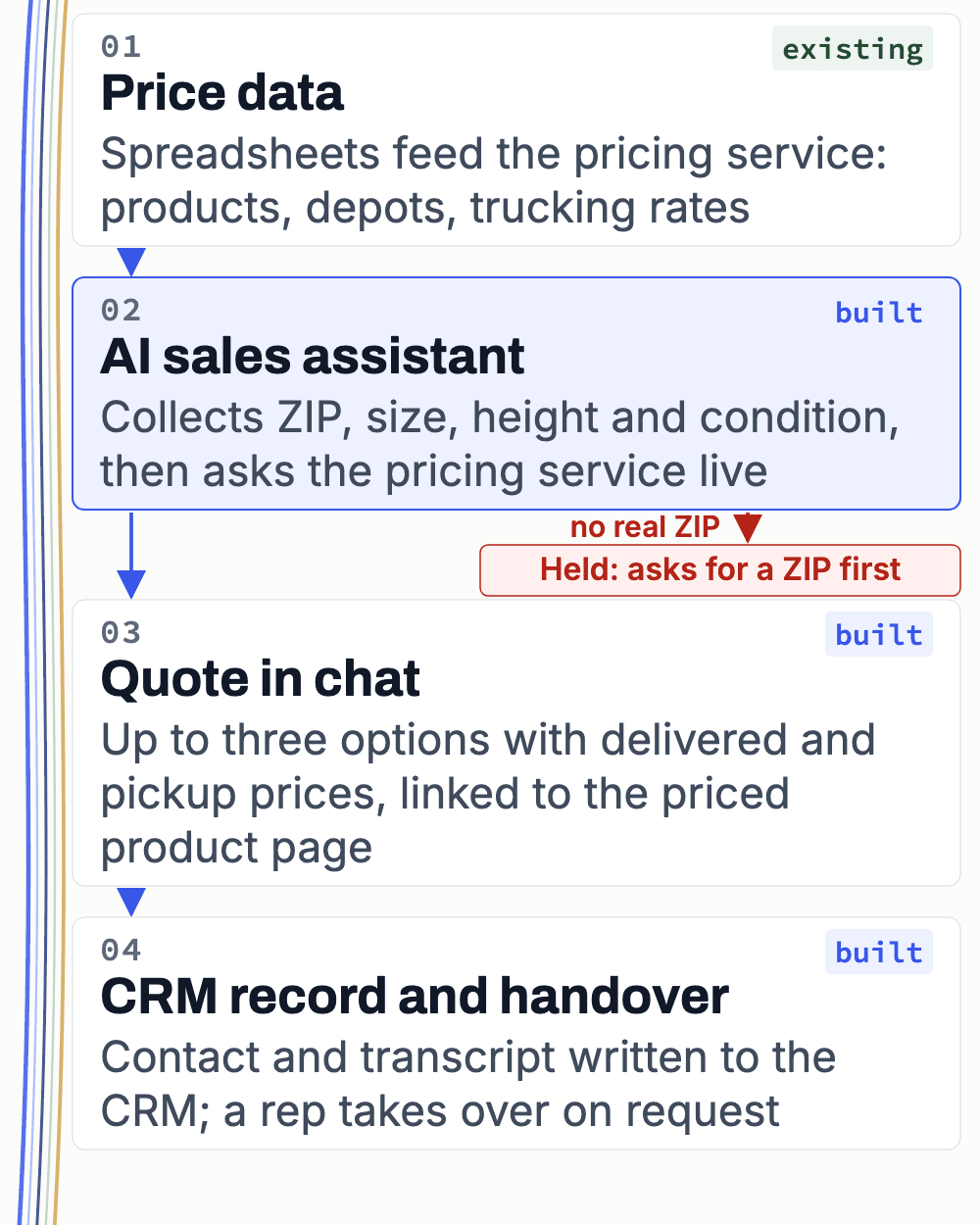
A container buyer wants one number: what a 40 ft high cube costs delivered to their ZIP. On most distributor sites that waits for a rep and a spreadsheet. On containerone.net the buyer gets delivered and pickup prices in the chat, up to 3 options, and the rep gets the lead in the CRM.
A delivered price depends on facts the product page cannot hold
Container One is a shipping-container retailer that sells online at containerone.net. A delivered price is the unit plus trucking from the nearest depot to the buyer’s ZIP. A pickup price is the unit collected at that depot. Some units also carry a sale price. All of it sits in Container One’s pricing service: the system that holds products, depots and trucking rates and works out a price for a ZIP.
The catalogue is spec-heavy. The pricing tool’s code recognises six condition grades: New, one-trip, wind and watertight, cargo worthy, multi-trip and economy. Sizes come in Standard or High Cube height, the taller box, with door and specialty types on top. The product page cannot show a delivered sum until it knows the buyer’s ZIP.
If you run a technical distributor, you know this shape. Your pricing rules live in spreadsheets your team edits. Your enquiries arrive by chat, phone and email. And a rep rebuilds the same answer by hand for every buyer who asks.
The chat quotes from the same pricing service the business runs on
Prices start in spreadsheets the Container One team edits. Scripts copy those rows into the company’s inherited pricing service. That service works out the price from the nearest depot to the buyer’s ZIP. We also worked on this service in a separate pricing rebuild, which has its own story.
The AI sales assistant keeps no price list of its own. On each quote it asks the pricing service live, so when your team changes a price at the source, the chat quotes what the service holds at that moment. The assistant runs on Memox, our customer-engagement product, but you do not need to know it to follow this.
The assistant holds no prices. Every figure it shows comes from Container One’s pricing service, asked live for that one quote.
Each quote follows the same five steps
The flow started as n8n workflows in 2025 and was rebuilt as code inside the product, so the rules can be tested. Each step below is read from that code.
- The buyer leaves an email in the chat’s lead form before the conversation starts.
- The assistant asks for a ZIP code. Rules in code stop it quoting without a real one.
- It asks for size, height and condition when the buyer has not said them.
- It asks the pricing service and filters by grade, size, height and door or specialty type.
- It adds a delivery window from a fixed city table and returns up to three options.
Each option shows a delivered price, a pickup price and any sale price. It also links to the product page with the buyer’s ZIP already filled in. The buyer then finishes on the normal Shopify storefront. The assistant creates no checkout and no order.
No ZIP, no price. The rule sits in code, not in the conversation, so the assistant will not quote until the buyer gives a real ZIP.
The rep gets the lead and the transcript in the CRM
Chat leads sync to Container One’s CRM as contacts. The start of the chat, its close with the transcript, and any handover are logged on the contact.
When a buyer asks for a person, a handover tool sends the chat to an online sales rep: the contact’s assigned owner, or the next rep in rotation. The rep can follow up from the CRM record with the conversation attached, and read what the buyer asked and which options they saw.
For your team, that changes how a sales call opens. The rep starts from the buyer’s question, not from a blank form.
What we built, and what Container One already had
Most of this system was Container One’s before we arrived. The new work is the layer between the buyer, the price and the CRM. Every fact in this story was checked against the pricing tool’s code and the live site in October 2026.
| Built by our team | Already Container One's |
|---|---|
| The pricing tool the assistant calls, and its guardrails | The pricing service and its sheet-sync scripts |
| The handover tools that route a chat to a rep | The spreadsheets and depot tables |
| The CRM sync and the transcript log on each contact | The Shopify Plus store and theme |
| The chat widget on containerone.net | The CRM accounts and the sales reps |
Abdullah, our co-founder and CTO, built the pricing tool and its first rules. Usama, an engineer on our team, added the guardrails that came later.
Where the assistant stops, and who this is not for
The assistant shows what is listed for sale at that ZIP. A rep confirms the unit. It does not replace the rep: it answers the first question, then hands over and writes down what happened. The quote is only as current as the pricing source it asks, and what we can connect depends on the data you hold and the access you can give.
The interface follows the process. Chat was right for Container One because buyers were already on the product pages when they asked for a price. Your business might need a website form workflow, an email integration, a phone workflow, or an internal tool for your reps. We choose the interface after we understand how a quote moves through your team.
This fits you if your products are spec-heavy, the price depends on location, grade or configuration, and your pricing rules already live in spreadsheets or an older system you can reach. It is not for you if every product has one fixed price, if prices live only in people’s heads, or if you want software to replace your sales team.
Questions and answers
Does the assistant show live stock?
It shows what the pricing service lists for sale at the buyer’s ZIP, filtered by grade, size, height and type. That is a listing, not a count of boxes in a yard, and the pricing data does not track used stock reliably. A Container One rep confirms the unit.
Where do the prices come from?
From spreadsheets the Container One team edits. Scripts copy those rows into the company’s own pricing service, which holds products, depots and trucking rates. The assistant asks that service live on every quote, so it never carries a price list of its own and always quotes what the service holds at that moment.
Can the assistant quote a wrong price?
Its prices come from the pricing service, so a wrong figure at the source would reach the chat. Rules in code cut the other risks: no price without a real ZIP, and a filter on grade, size, height and type. Each option links to the product page, so the buyer can check the price before ordering.
What happens when a buyer wants a person?
A handover tool sends the chat to an online sales rep, either the contact’s assigned owner in the CRM or the next rep in rotation. The transcript is logged on the buyer’s CRM contact, so the rep can read what was asked and which options were shown before they reply.
Does the assistant place orders?
No. Each option links to the product page with the buyer’s ZIP already filled in, and the buyer completes the order on the Shopify store as usual. The assistant creates no checkout, no draft order and no invoice. Its part ends at the priced options, the handover and the CRM record.