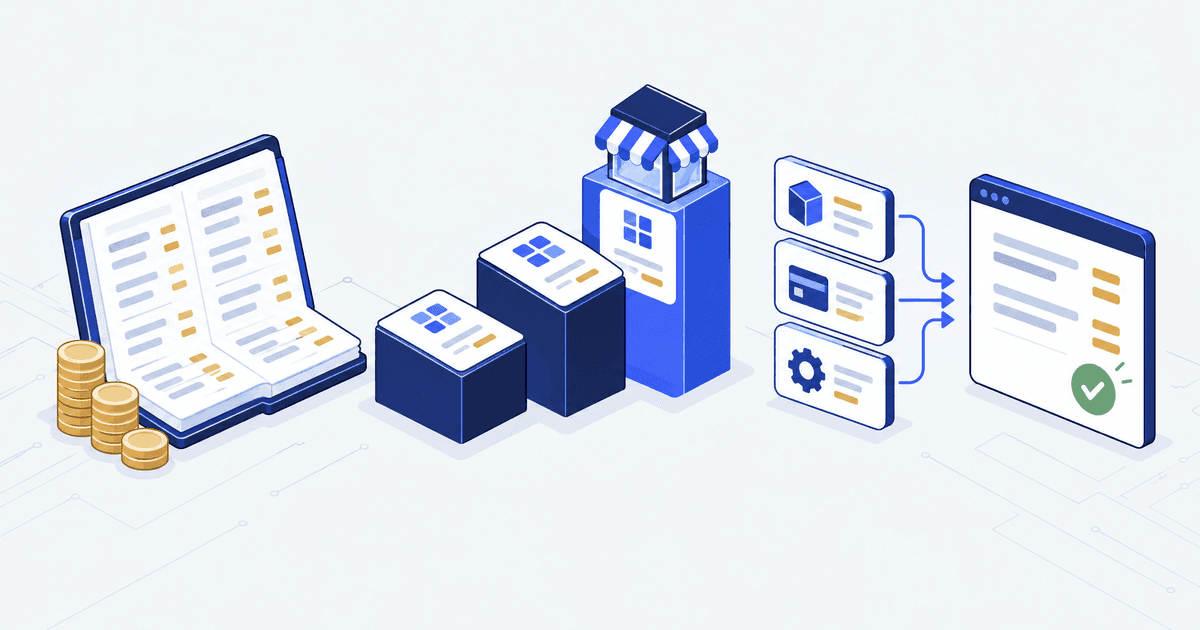

The catalogue ports fine. Customer accounts import cleanly. The theme looks right. Then finance asks one question. How will 18 months of open receivables, the money buyers still owe you, show up in the new store?
That question moves the date. On the B2B builds we have audited, it lands two to three weeks before go live.
The short answer. Shopify Plus stores each business-to-business (B2B) buyer as a company, with its locations (the branches or depots that place orders) and its contacts (the people who buy). A catalogue is the price list a buyer sees. Payment terms are the deal on when they pay. Plus has no record type for an invoice you already issued. Most teams land open invoices as draft orders, which are orders you build in the admin before the buyer pays. They import closed invoices as dated orders.
A clean import saves your finance team weeks of hand keying. It stops your largest buyers chasing balances they have already paid. That is the part we build. Autonomous Technologies builds and runs the systems behind Shopify stores, for founders and operators who own the store after launch. This is one part of a Shopify Plus migration, and it is the part that most often sets the launch date.
Who this is for, and who it is not for. This is for the operations or finance lead on a B2B business moving onto Shopify Plus with open receivables to carry across. It is not for you if you are starting B2B fresh with no trading history: skip to the schema section, set your terms, and ignore the rest.
Plus has no object for an invoice you already issued
That is the whole problem in one line. Shopify’s B2B tools assume buyers start ordering today. Your customers arrive with 18 months of history.
They bring part paid balances, credit notes and net terms (pay within a set number of days) with running balances. A credit note is a document that cancels part of a bill you already sent. None of that fits “create a company and let them order”.
Before you map anything, sort the old records into five piles. Open invoices carry money you are still owed. Closed invoice history is what buyers expect to see when they log in. Quotes that never became orders are a sales rep’s pipeline.
Credit notes and pending refunds are the fourth pile. They surface a month after launch, when finance closes the books. Part paid invoices are the fifth. Someone paid $5,000 against $12,000, and the other $7,000 still has to be tracked.
Only the first pile can lose you money on day one. The rest lose you trust, which is slower to fix.
The customers who care most about invoice history are the ones with the largest balances. Small accounts rarely notice. The biggest ones tend to email you the day they log in.From the B2B Plus migrations we have audited, 2024 to 2026
The B2B model is three objects and four hard limits
Shopify’s docs name three objects. A Company is “the business entity that makes a B2B purchase”. A CompanyLocation is “a single location or branch of the company”, and it holds the billing and shipping addresses. A CompanyContact is “a person that acts on behalf of the company”, tied to an ordinary customer record.
Orders attach to a location, not to the company. So do catalogues, tax exemptions and payment terms. A catalogue is the price list one location is allowed to buy from. That split matters when a chain buys on different terms per depot. Setting up companies, catalogues and terms is the part most stores hand off; that work is Shopify B2B and wholesale setup help.
Four of those objects carry a published cap. The table below lists each cap and what it rules out.
| What is capped | Published limit | What it rules out |
|---|---|---|
| Locations per company. | 10,000. | Nothing. Even large chains fit. |
| Customers per company. | 10,000. | Nothing in practice. |
| Customers per location. | 50. | A depot with 60 named buyers must be split. |
| Catalogues per location. | 25. | Per account price lists past 25 need a rethink. |
The figures in that table are Shopify’s own, checked 21 September 2026. The trap is not the ceiling. It is the shape.
Old systems often store one buyer record per human, shared across two businesses. Plus needs that person twice: two contacts, two locations, two companies. If your data merges buyers, undo it before import.
Build the companies through the GraphQL Admin API. That is the interface Shopify gives you for writing data into a store. Its companyCreate request makes the company, and it can add a first contact and location in the same step, checked 21 September 2026. Shopify marked the older REST Admin API, its earlier interface, legacy on 1 October 2024. From 1 April 2025 new public apps (apps built for many stores) must use GraphQL, checked 21 September 2026. Do not plan a B2B import around REST.
Payment terms sit on the location, and net counts from the order date
Terms are the second thing to lock. They change what an imported invoice even means. Payment terms are the agreed rule for when a buyer pays. Net 30 means the full amount falls due 30 days after the order. A deposit means the buyer pays a set share of the bill up front.
The table below lists every term type Plus supports on its own, and when the clock starts on each one.
| Term type | What Shopify supports | When the clock starts |
|---|---|---|
| Net. | 7, 15, 30, 45, 60 and 90 days. | The day the order is placed. |
| Due on fulfilment. | Payment after the items ship. | Fulfilment. |
| Fixed date. | One calendar date, draft orders only. | Set by hand. |
| Deposit. | A percentage taken at checkout, Plus only. | Order reads Partially paid. |
| None. | Payment in full at checkout. | Immediately. |
Two rows change plans. Net terms start from the day the order is placed, so if your old system counted from the invoice date, the due dates will differ.
Plus does support part payment, through a deposit percentage that leaves the order marked Partially paid, checked 21 September 2026. That covers new orders. It does not let you say an old invoice arrived half paid, so that pile needs its own call.
Buyers pay from their account. They can press Pay now at any point in the term, and orders stay payable after it lapses.
Five phases, each with one thing it has to prove
The five phases run in order. The image below shows what each one hands to the next.
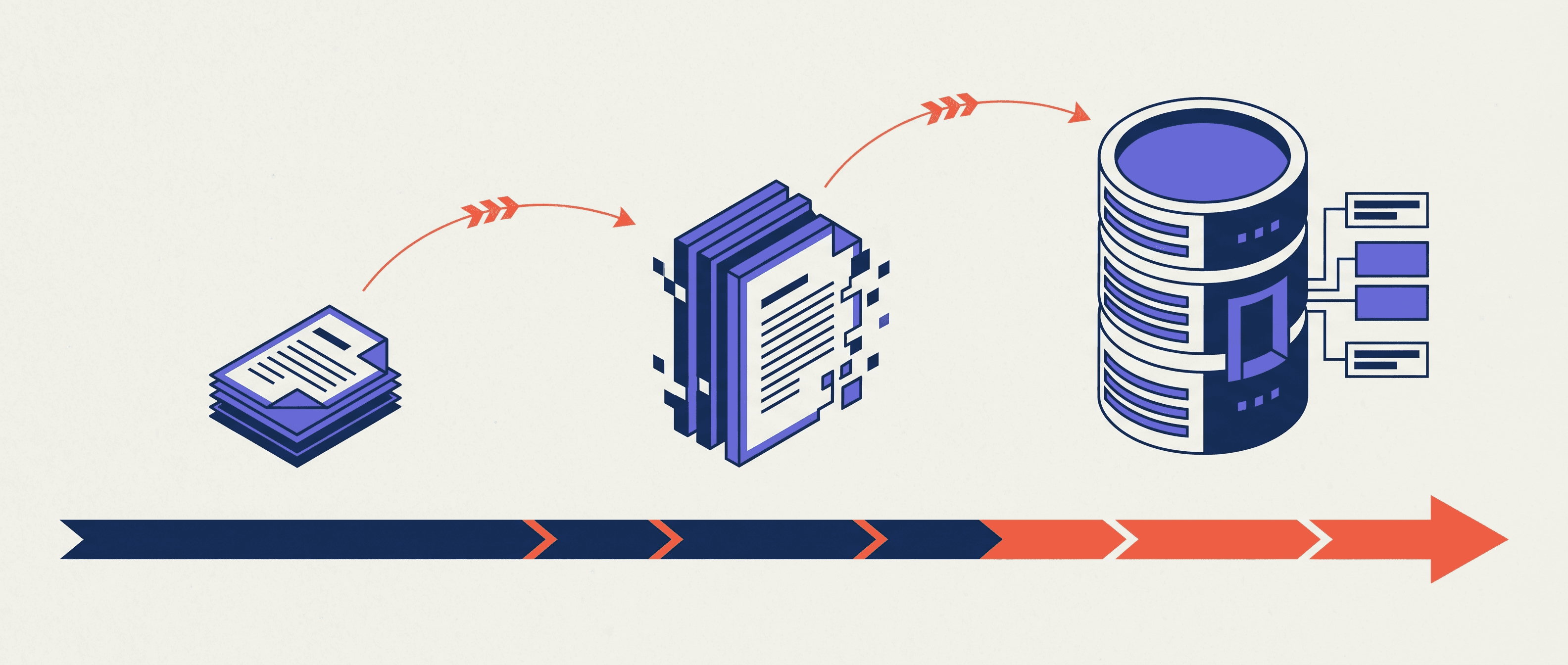
Phase one, extract and inventory. Pull every record into a flat file, one plain spreadsheet-style file. For each invoice take the number, the buyer reference, the lines with SKU (the code that identifies a product), quantity and price, both dates, the status, the amount paid and the balance. Then count companies, locations, buyers, open invoices and total open receivables. It has to prove every column has a target field, or a flag saying it has none.
Phase two, schema mapping. Decide where each old record lands in Shopify’s layout of fields, known as the schema. Name the companies that have no real name. Decide how one address with six buyers splits, and how contract pricing becomes catalogues. It has to prove a written mapping anyone can run without asking you.
Phase three, staged import to a development store. A development store is a private test copy of your store. Import in this order: companies, locations, contacts, catalogues, payment terms, then open invoices, then closed history, then credit notes. It has to prove open receivables in the test store match the old total to the dollar.
Phase four, open invoices. The usual pattern is one draft order per open invoice. Carry the old invoice number in the order name, with the original lines and the balance left. Draft orders can be paid through a checkout link, and finance can filter them. The cost is that reports do not always treat a draft order as an invoice. Some portal themes, the designs that control your buyers’ login area, do not list them at all. It has to prove a buyer can see the balance and pay it.
Phase five, the reconciliation. Reconciliation means checking that the two systems agree, line by line. Run the import against your live store in a planned window, with the old system read only, so nobody can change it. Then check three things. Compare old open receivables against the sum in Plus. Sample ten companies for terms and catalogue. Have five buyers log in to see their history. It has to prove a written sign off from finance. Book 5 to 10 business days.
Every ERP breaks in its own place
The image below maps four source systems onto the same Plus portal.
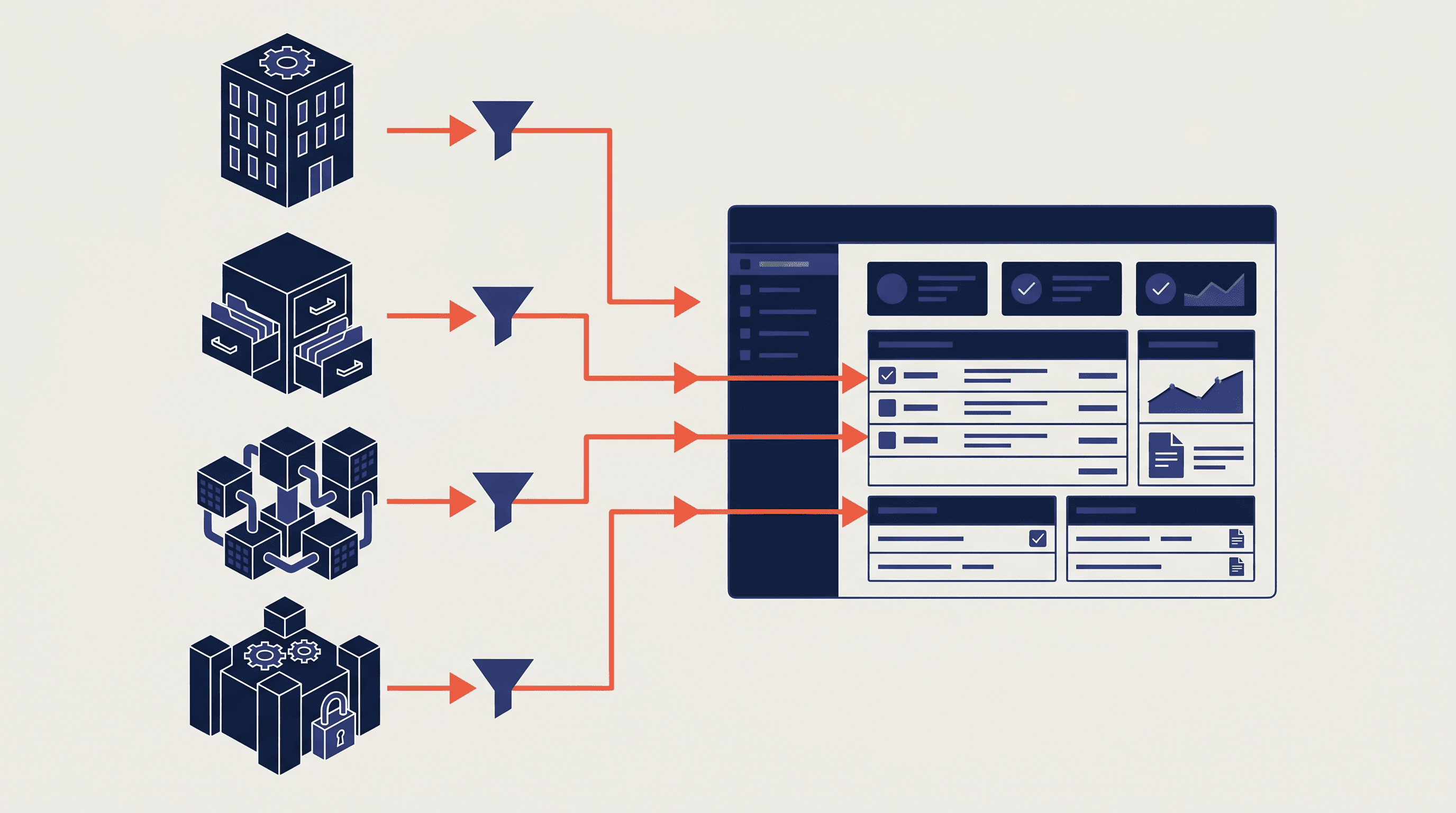
The mechanics are the same from any source. The mapping is not. The table below names the one thing that costs a sprint (a short, fixed block of team work) in each of the four.
A few terms in it need a plain name. An ERP (enterprise resource planning system) is the software that runs a company’s orders, stock and accounts. An IDoc is SAP’s export file for a document such as an invoice. A metafield is an extra field you add to a Shopify record to hold data it has no slot for.
| Source system | What costs you a sprint | Why |
|---|---|---|
| NetSuite. | Parent and child customer records. | Plus has 1 level, so the tree flattens into metafields. |
| NetSuite. | Memorized recurring invoices. | Move the invoice, miss the schedule, and the next cycle bills nothing. |
| SAP. | IDoc exports for orders and invoices. | Complete but verbose. Budget a sprint for the parser. |
| SAP. | Credit memo states. | Issue, part apply, full apply and void have no direct match. |
| Dynamics. | Dimensions on every line. | Department and project tags have no home and land in metafields. |
| QuickBooks. | Two books that already disagree. | The ledger and the old storefront drifted. Reconcile first. |
Metafields, named in two of those rows, are where the leftovers land.
One rule holds across all four. The import script, the program that loads your data, runs once, in a window, and never again. Make it complete and well logged. Make it safe to re-run against failed rows too, which engineers call idempotent: a second run never creates duplicates.
What breaks, and who owns it
The objection is that this is over-planning. The data is clean, the vendor has done it before, so why name a signer. Four things break most often.
Buyers see the wrong price on first login. The catalogue was not attached, or it was built from the wrong field. Old prices are often worked out rather than stored, and the script picked up the base price. Before cutover, the day you switch to the new store, check each company’s catalogue.
Open invoices appear but cannot be paid. The draft orders landed, but nobody turned on the payment link or told support how to take the money. The buyer sees a dead end.
History arrives in the wrong order. If the script stamps today’s date on imported orders, every buyer sees 18 months of history bunched into one week. Set the original dates on import.
Nobody signed. A check with no named approver is a spreadsheet nobody owns. Put one person’s name against the sign off. On Sene’s order systems we run the same rule on code: thirty seven pull requests (proposed code changes) landed between 14 July and 8 September 2026, and a named person accepted every one.
Three things to do this week
- Pull the totals from the old system: companies, open invoices, total open receivables, and the split by payment term. Get them into a document finance can sign.
- Stand up a development store and import 5 to 10 companies with 20 to 30 invoices. Find the schema bugs while they are cheap.
- Book a 5 business day window for the reconciliation. If it is not booked, the launch slides into it anyway, unowned.
The table below puts the time figures from this guide in one place, so you can hold your plan against them.
| Piece of work | Time to book | What it covers |
|---|---|---|
| Whole move, 50 to 200 companies and 500 to 2,000 old invoices. | 6 to 10 weeks. | From access to launch. |
| Each mapping subtask per source system. | 2 to 5 days. | One marker on the mapping image above. |
| Test import to a development store. | 5 to 10 companies, 20 to 30 invoices. | Enough to surface the schema bugs. |
| Reconciliation window. | 5 to 10 business days. | Old system read only, finance signs off. |
Start the first one this afternoon. Pull the totals yourself, put your name at the top of that document, and ask your finance lead to sign it by Friday. Nothing else here is safe to plan until that signature exists.
Common questions
Can I bulk load invoices with Shopify's CSV import?
No. The standard CSV import does not cover companies, locations or draft orders. Build the import on the GraphQL Admin API. Shopify marked the REST Admin API legacy on 1 October 2024, so do not design a new import around REST.
Can Shopify track an invoice that is already part paid?
Not directly. Shopify supports a deposit percentage at checkout, which leaves a new order marked Partially paid, and that feature needs Plus. There is no native way to say an old invoice arrived with money already against it. Decide up front whether you import the balance or the full amount.
How long does a B2B move onto Plus take?
For 50 to 200 companies and 500 to 2,000 old invoices, plan 6 to 10 weeks from access to launch. Anything shorter usually means the reconciliation was cut, and that cost lands on finance in month three.
Sources, all checked 21 September 2026. Companies and customers in B2B, payment terms for B2B, build B2B apps, companyCreate mutation, REST Admin API legacy notice.