When your stock numbers are wrong and nobody can tell you why, the problem is usually hiding. For Container One, it was an app quietly throwing away its own errors. We found it and made sure failed updates stop vanishing.
The Shopify inventory sync said it had finished, but the store told a different story
We're Autonomous, a Shopify systems agency for ecommerce founders and operators. Container One asked us to audit their Shopify inventory sync, running on a system nobody had ever documented.
The problem was that products sat in the app but never showed up as something a shopper could actually buy. In Shopify, a variant is one buyable version of a product, like a 20 foot container at one specific depot. Container One's pricing setup pulls together depot stock and spreadsheet entries and feeds them into a Shopify Plus store. If a location has no working variant, a buyer there sees no price and has no way to order, even when the stock exists somewhere else in the system.
The team kept running into problems the logs couldn't explain. Sync buttons seemed to do nothing, products went missing from the ZIP code search, and prices typed into blank cells never made it to the store. Before anything else, they needed a clear picture of how the system actually worked, then a fix for each of those symptoms.
The relationship started through Memox and a CRM move, and a paid audit opened the door to the wider engineering work. Container One needed someone to understand how all the pieces fit together before anyone suggested replacing them.
How we mapped an undocumented Shopify app, then tried to prove ourselves wrong
Nobody had a reliable account of how the system worked, so our first job was to write one, then try to tear it apart. The PHP app we inherited had no version history, meaning there was no record of who changed what or when. There was no useful map of it either. So we documented how the app was built, drew out the data model, traced how pricing and orders moved through it, and put the fixes in order of priority.
Then we tested that account against evidence from other sources. We checked the server, pulled data straight from Shopify, and read through the code path by path. That changed several of our first answers. A suspected duplicate tag problem didn't show up anywhere in the theme code. And the pricing sync turned out to be a two stage batch queue, which processes updates in groups, rather than a live sync that pushes each change the moment it happens.
Those corrections mattered, because a system document can be wrong in ways that send you down an expensive path. The report had to say what the app actually did, and just as importantly, how much each piece of evidence could be trusted.
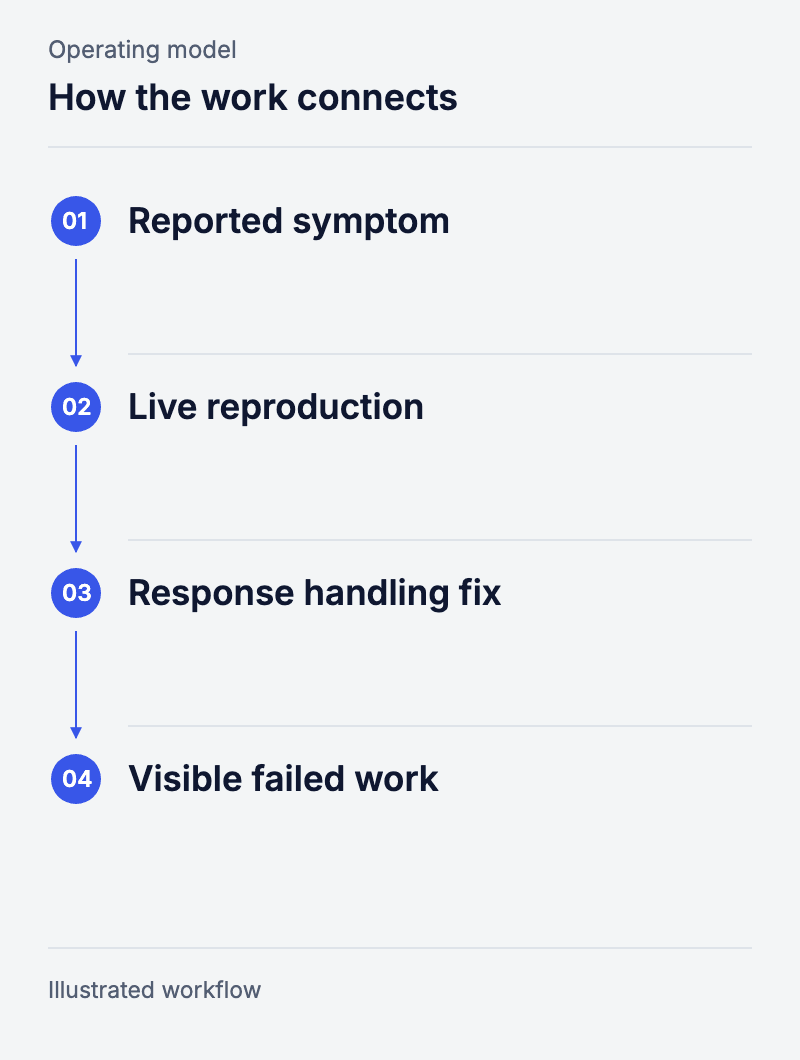
Workflow: Reported symptom → Live reproduction → Response handling fix → Visible failed work.
The Shopify API error hiding behind a "successful" sync
The app marked jobs as finished even when Shopify had rejected them, then threw away the proof. We traced the missing items back to the way the request was built. The app was sending one field in the wrong place. Shopify sent back an error, but the code was looking for errors in a different part of the reply, so it missed it and discarded the whole response.
Then the job was deleted from the queue, the app's list of pending work, whether it had worked or not. That's the whole reason the sync looked successful. Jobs left the queue without ever creating the item in Shopify, so a finished job was never proof that the change inside it had actually happened.
To confirm it, the team made the failure happen again using a temporary draft product in the live store. They put the rejected requests side by side with the corrected one, then deleted the test product. That means the diagnosis is based on what Shopify actually did, not just on reading the code.
How we fixed the Shopify sync so failures can't hide anymore
Fixing the bad request was only half the job. The other half was making sure the next failure leaves something behind to look at.
The patch moved the field to the right place and changed how the app reads Shopify's reply. Now it keeps the result of every change and checks both places an error can show up. Any failure gets written to the log, and failed jobs stay in the queue instead of being deleted and marked as done.
The fix was merged, shipped and confirmed healthy at the next review. That closes this incident, and it also closes the reason it stayed hidden for so long. When a change fails now, the app leaves evidence behind.
Not every check ended with a code fix, though. Two of the seven turned up no software fault at all. For the abandoned cart question, the team lined up checkouts, orders and draft orders side by side to see what the number was actually counting. Sometimes a good diagnosis changes how you read a report without touching a single line of code.
What Container One has now, and what we'd tell any Shopify team with a broken sync
Container One now has three things it didn't before: a written account of the system it inherited, a Shopify sync that actually works, and a list of scoped follow up work. With version history and dated write ups in place, any future change can be traced back to the problem it was meant to solve.
The wider pricing move is still underway, and the old app is partly retired. Our founder says pricing is now far less of a worry for Nic, [Nic's role at Container One], though that's his account, not a measured figure.
The lesson from this job is narrow, but it's a useful one:
- Check that the business step actually worked, not just that the job around it finished.
- Keep the evidence when something fails.
- Base the next repair on an account of the system that holds up when you test it.
People behind the work

Questions and answers
Why did the sync look successful?
The code threw away Shopify’s replies, missed one kind of error, and deleted queued work even when nothing had been created.
How was the diagnosis verified?
The team made the rejected request happen again on a temporary Shopify draft product, tested the fixed one, then deleted the product.
Did every reported problem require a patch?
No. Two of the seven checks found no software fault, once we had looked at the data and the way the work ran.
Can you audit a Shopify inventory sync you did not build?
That is what this job was. The PHP app had no version history and no map. So we wrote one, then tested it against the server, against Shopify’s own data and against the code, before we proposed a single change.
Did this audit lead to a complete rewrite?
No. It led to scoped follow-on work and a staged pricing move. The old app is part way retired and the move is still going.