Your Shopify admin shows 312 orders for August 2026. Meta Ads Manager claims 381 purchases over the same 31 days. GA4 (Google’s site analytics tool) reports 274. Three systems, one month, three answers. Nobody can say which number should set next month’s budget. Someone suggests server-side tagging, which means sending your tracking data from a server instead of the shopper’s browser. They are half right.
| System | Purchases counted, 1 to 31 August 2026 | Gap against Shopify orders |
|---|---|---|
| Shopify admin. | 312 orders. | The baseline. |
| Meta Ads Manager. | 381 purchases. | 69 more, 22% over. |
| GA4. | 274 purchases. | 38 fewer, 12% under. |
The short answer. Server-side tagging sends your tracking events from a server you run. Today they leave the shopper’s browser instead. The change recovers events that browsers and ad blockers drop. It also raises how well Meta matches a sale to a person. It will not make three dashboards agree.
Autonomous Technologies builds and runs the systems behind Shopify stores. We work for founders and operators who are accountable for the store after launch. A wrong purchase count sends next month’s budget to the wrong campaign. That is why tagging sits inside our ecommerce analytics work. Every platform claim below links to the vendor’s own documentation, checked 21 September 2026.
Who this is for. You run a Shopify or Shopify Plus store. You spend your own money on Meta or Google ads. Your platform numbers do not match the orders in your admin. Who this is not for. Stores with no paid spend. Anyone hunting for a one-click app. Anyone who wants a legal opinion on consent. Your privacy counsel owns that question, not your tagging server.
Server-side tagging changes where the event goes, not what happened
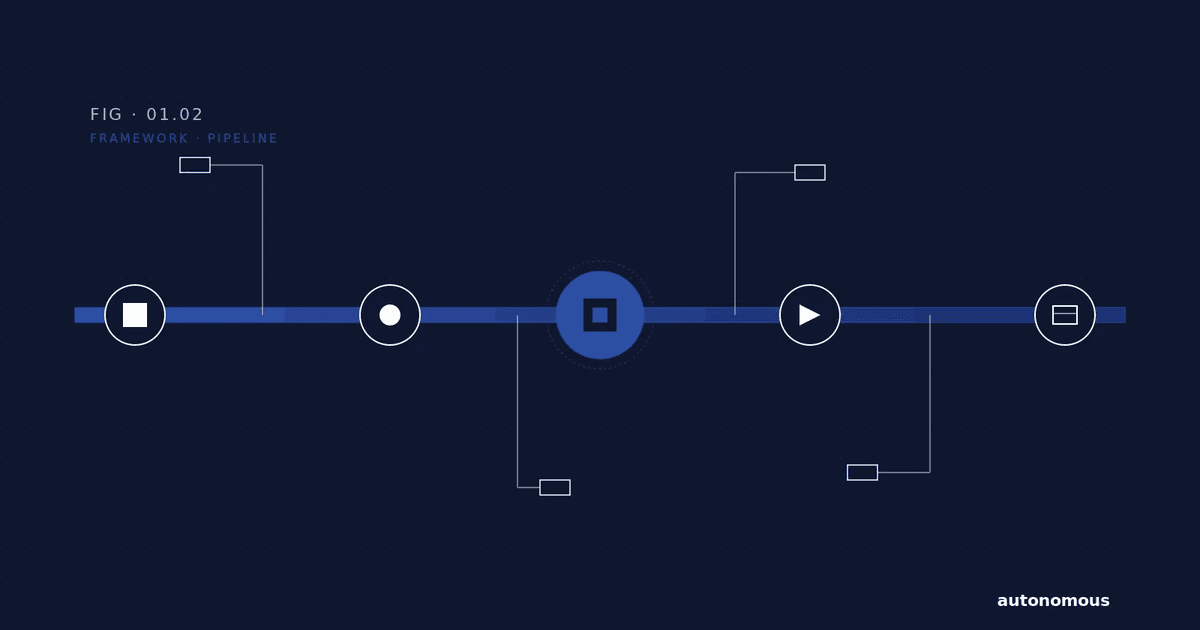
A tag is a small piece of code. It reports an event, such as a purchase, to Meta or Google. A container holds your tags and the rules that fire them. Normally both run in the shopper’s browser.
Google calls server-side tagging “a way to instrument your tags to measure user activity wherever it happens”. You run a second container on a server you control. Google’s page gives three reasons for it. Better page performance. More detailed privacy controls. Better data quality.
Most people skip the client, a small piece of server software that receives incoming events. Google defines clients as “adapters between the software running on a user’s device and your server-side Tag Manager container”. Your page sends each event to the web address of your server container. A client picks up that request and turns it into events. Your tags then decide where each event goes.
That server is a real thing you now own. Google’s setup guide describes a Node.js server (a common web server program) packaged in a Docker image (a ready-to-run software bundle). It says servers “can be provisioned as either a single server or as a cluster”. It recommends a cluster “for better availability, scalability, and performance”. It also advises hosting the server on the same origin as your site (your own web address), or on a subdomain (a prefix added to that address). That is infrastructure with an owner, a target for how often it must be running, and a monthly bill.
Name the owner before you buy the server. A tagging server nobody watches fails quietly. A quiet failure in measurement looks exactly like a bad month of ads.
One browser prediction in this guide was wrong, and it changes the case
Safari has not moved. Apple’s WebKit team, which builds Safari’s engine, published full third-party cookie blocking on 24 March 2020. It described Intelligent Tracking Prevention (ITP), Safari’s built-in privacy feature, as “deleting all of a website’s script-writable storage after seven days of Safari use without user interaction on the site”. The cookie your Meta pixel (Meta’s tracking script on your site) writes is script-writable storage, meaning data a page’s code saves in the browser. Safari is the default browser on every iPhone. This is not a fringe slice of your traffic.
Chrome is the part that changed. The earlier version of this guide said Chrome would drop third-party cookies (cookies set by sites other than the one a shopper is visiting) by mid-2026. That is no longer true. Google announced on 22 April 2025 that it had “made the decision to maintain our current approach to offering users third-party cookie choice in Chrome”. It added that it “will not be rolling out a new standalone prompt for third-party cookies”. The deadline argument for server-side tagging is gone. The Safari argument is not.
| What you want fixed | Does a server fix it | Source and date |
|---|---|---|
| Purchase pixel request blocked | Yes, once the server sends it too | Google, checked 21 September 2026. |
| Safari clearing pixel cookies after 7 days | No. The browser does the clearing | WebKit, 24 March 2020. |
| Chrome dropping third-party cookies | No deadline is left to plan for | Google, 22 April 2025. |
| Meta counting 1 purchase twice | Yes, with a shared event id | Meta, 48 hour window. |
| 3 dashboards showing 3 revenue figures | No. Each one counts its own way | Vendor docs, 21 September 2026. |
The Conversions API is the part that moves your Meta numbers
Meta’s Conversions API, often shortened to CAPI, is the server-side half of Meta measurement. It lets your server report sales straight to Meta. Meta calls it “a connection between an advertiser’s marketing data … from an advertiser’s server, website platform, mobile app, or CRM to Meta systems that optimize ad targeting”. CRM means customer relationship management software.
It is an addition, not a swap. Meta’s best practices say so directly. “Use the Conversions API in addition to the Meta Pixel, and share the same events using both tools.”
Then you stop the double count. This is called deduplication: counting one sale once, even when the browser and the server both report it. Meta’s deduplication rules ask for two matches. The pixel’s eventID must match the server’s event_id. The pixel’s event must match the event_name. Meta then states that events “are only deduplicated if they are received within 48 hours of when we receive the first event with a given event_id”.
One claim from the earlier version needs restating. Event Match Quality (EMQ) shows how well Meta can tie a reported sale to a real person. The earlier version told you to aim for an Event Match Quality score above 8.0. It treated anything below 6.0 as broken. Meta scores match quality out of 10. It rates that score Poor, OK, Good or Great. The score reflects which customer parameters you send, their quality, and the share of events matched to an account. Meta publishes no pass mark. Track your own score week on week instead.
This work is slow and it lasts. The signup tracking we merged for a client has run in their live code for 142 days, 17 April to 6 September 2026. We wrote down what we changed and what we left alone. The audience side of the same problem sits in signal loss in Facebook retargeting.
GA4’s Measurement Protocol adds to your tags, it does not replace them
This is where stores overbuild. The GA4 Measurement Protocol sends events to Google Analytics over HTTP (Hypertext Transfer Protocol, the standard way web servers talk to each other). It exists for server-to-server and offline interactions.
Google states the limit plainly. “The intent of the Measurement Protocol is to augment automatic collection through gtag, Tag Manager, and Google Analytics for Firebase, not to replace it.” Google adds that “only partial reporting may be available” if you rely on the protocol alone.
Three specifics follow from that. Some event and parameter names are reserved for automatic collection. Rules that create or rename events do not fire for protocol events. And if you omit device information, GA4 defaults a web stream (your site’s data feed into Google) to desktop. That last one quietly ruins every mobile split you report.
Consent has to travel with the event
Google’s consent mode tells Google’s tags what a shopper has agreed to. It carries four parameters. ad_storage covers advertising cookies. analytics_storage covers analytics measurement. ad_user_data covers sending user data related to advertising to Google. ad_personalization covers personalised advertising.
On Shopify, consent is enforced at the pixel layer, the place where tracking code runs. Shopify’s Web Pixels API, the tool that lets approved code run tracking on your store, gives “access to a set of controlled APIs for accessing browser APIs and subscribing to customer events, within one of our Lax or Strict sandboxes”. A sandbox means your code gets a restricted set of browser APIs. It does not get the whole page.
Shopify splits customer events in two. App pixels are installed by a vendor and updated by that vendor. Custom pixels are added by your developer. Your business maintains them from then on.
A server that forwards events after a shopper declined marketing consent is not an upgrade. It is the same exposure with tidier numbers on it.
What breaks, and who owns it
The objection we hear is fair. This looks like an engineering project when the real problem is weak ads. Sometimes that is true. More often the ads cannot be judged at all. The purchase count feeding them is wrong. Below are the failures we open stores and find.
| What breaks | The figure to check | Who owns it |
|---|---|---|
| No shared event id across pixel and server | Purchases doubled inside 48 hours | Whoever publishes the pixel. |
| Tagging server down or throttled | Hours of orders missing, 0 alerts | A named person, on a rota. |
| Raw email sent where SHA-256 is required | Match quality falls, setting reads on | Your developer or app vendor. |
| Protocol used as the only GA4 feed | Partial reports, 1 device split wrong | Your analytics owner. |
| Consent declined, event sent anyway | 4 consent parameters ignored | You, with your privacy counsel. |
Two of those five are not tracking problems. They are operations problems that surface in a dashboard. That is why the work needs a named owner rather than another app install.
Prove it in the platform before you call the build finished
A tagging build is done when you can show four things. Open Meta Events Manager first. It is Meta’s dashboard for checking the events your store sends. Confirm the server appears as a connection method on your purchase event. Read the deduplication figures for the last 7 days. Confirm the browser and server copies collapse into one. Then read your match quality score and write it down. Next month now has a baseline.
Finish with the only number that settles arguments. Pull 7 days of Shopify orders and 7 days of platform purchases for the same dates. State the gap as a figure. A small, steady gap means the measurement works. A gap that moves every week points at operations. That is the case made in ghost tags inflating your CPA and in why your ROAS and your bank account disagree.
Common questions
Will server-side tagging make Meta and Shopify show the same revenue?
No. Shopify attributes orders on a last click model with a 30 day lookback by default. Meta uses the windows you set in Ads Manager. Server-side tagging recovers events the browser dropped, so the gap narrows. It cannot align two different counting rules.
Do I still need the browser pixel if my server sends events?
Yes. Meta’s own best practice is to use the Conversions API in addition to the pixel. Share the same events through both. Give each pair the same event name and a shared event id. Meta then discards the duplicate if the second copy lands within 48 hours of the first.
Is there still a Chrome deadline to plan around?
No. Google announced on 22 April 2025 that it will keep third-party cookie choice in Chrome. It will not roll out a new standalone prompt. Safari is the rule that still costs you signal. It clears script-writable storage after seven days of use without a return visit.
What match quality score should I aim for?
Meta scores it out of 10 and rates it Poor, OK, Good or Great. The score reflects which customer parameters you send, their quality, and the share of events matched to an account. Meta publishes no pass mark. Track your own score over consecutive weeks instead.
Can I feed GA4 entirely through the Measurement Protocol?
Google says no. The documented intent is to augment collection through gtag, Tag Manager and Firebase, not to replace it. Send events only that way and only partial reporting may be available. Some event names are reserved, and device category defaults to desktop if you omit it.
Sources, all checked 21 September 2026. Google: server-side tagging, sending data to the server container, the manual setup guide, the GA4 Measurement Protocol, consent mode and the Privacy Sandbox update of 22 April 2025. Meta: the Conversions API, its best practices, its deduplication guidance and Event Match Quality. Shopify: the Web Pixels API and customer events. WebKit: full third-party cookie blocking.