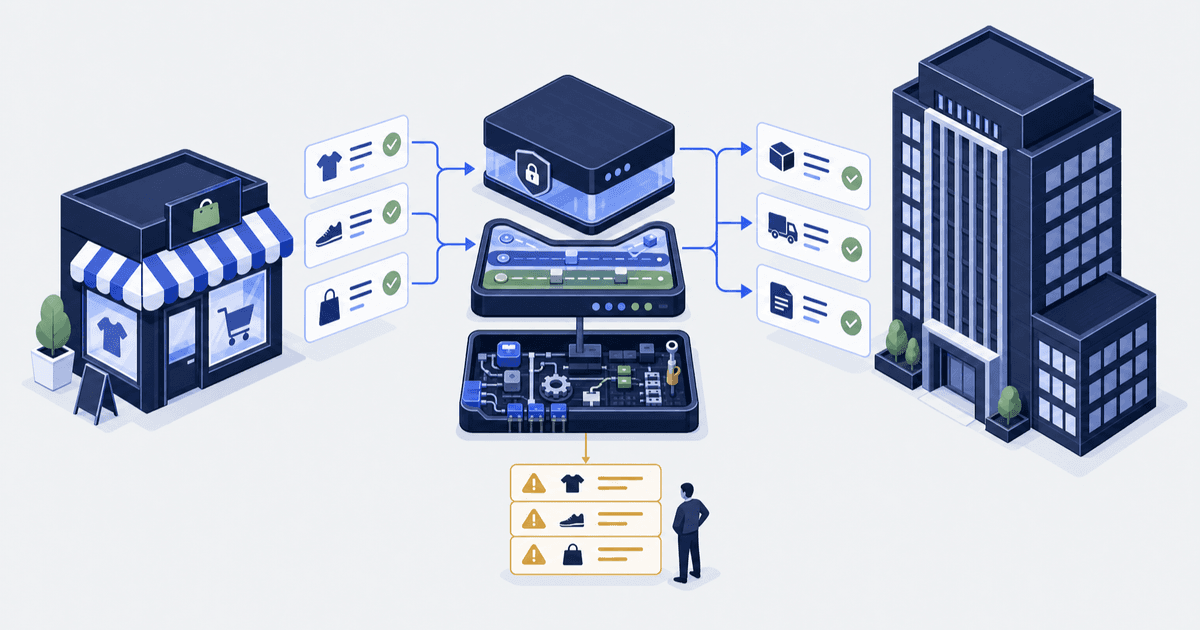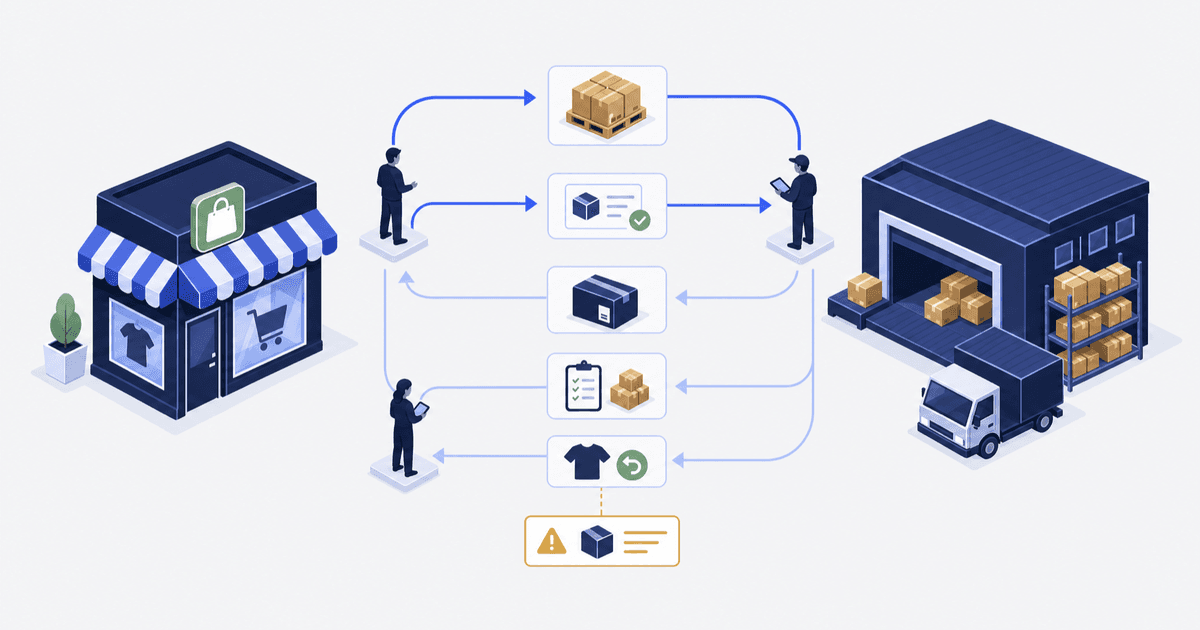

Picture a pallet that lands at the warehouse counted eleven units short. Nobody on your side owns that receipt. The gap sits in a spreadsheet for nine days.
Meanwhile the storefront keeps selling a number that was never true. That is an integration failing, and not one line of the connector is broken.
A 3PL is a third-party logistics company that stores, picks and ships your orders. A WMS, or warehouse management system, is the software that warehouse runs to track stock and pick work. You can connect to the 3PL’s app or to its WMS.
The work is the same either way. We build and run Shopify integrations and custom apps around it. An integration here means software that passes orders and stock counts between two systems.
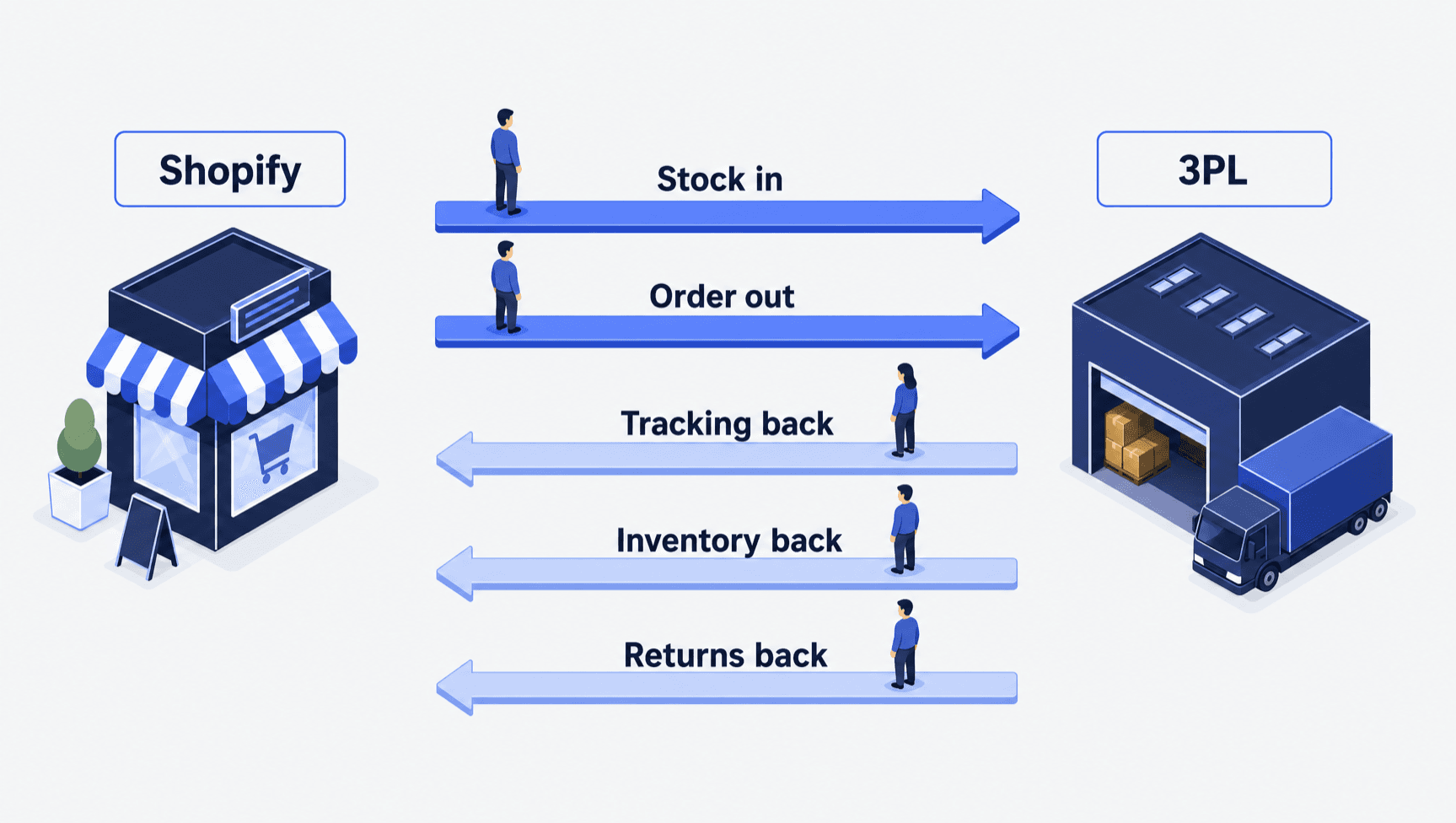
The short answer. Connect a Shopify 3PL or WMS through five handoffs: stock in, order out, tracking back, inventory back, returns back. Shopify asks a fulfillment service for all its inventory data once every hour. Choose the route by who maintains it. Then name one owner per handoff.
| Route | Pick it when | Who maintains it | Check first |
|---|---|---|---|
| The 3PL's own Shopify app | Its standard flows cover your orders | The 3PL | Which of the five handoffs it supports, and how it treats order edits |
| Fulfillment service app on the Admin API (the way software talks to Shopify) | The warehouse's WMS has an API, a connection point for software, but no Shopify app | You, or your developer | Callback endpoint (the web address Shopify sends orders to), upgrades to each new API version, alerts |
| Integration platform (a hosted tool that maps data between systems) | The warehouse is one of several systems in the path | You, on a hosted tool | Who owns the mappings when a field changes |
| Custom middleware (a service you build between the two systems) | You route across a second warehouse or batch files | You | Who gets the alert at 2 a.m. when it fails |
Who this is for, and who it is not for. This is for the operations, ecommerce or fulfillment lead moving stock into a third-party warehouse. Your store may be on Shopify or on Shopify Plus, Shopify’s top plan. It is not for you if you are choosing between named 3PL providers.
We cite what Shopify documents, not any provider’s software. Nothing here is a measured result for a 3PL integration. The one count we cite comes from a different system.
Five handoffs carry every order between Shopify and the warehouse
Shopify models a 3PL as a fulfillment service. That is an app providing “third-party warehousing, print on demand, or fulfillment services that prepare and ship orders on behalf of merchants” (fulfillment service apps). Shopify creates a location for that service.
The warehouse’s stock lives there. Orders are assigned to it. The quantity held there is what the storefront sells.
| Handoff | Record in Shopify | Trigger | Exception owner to name |
|---|---|---|---|
| Stock in | Incoming, then on hand at the 3PL location | The inbound shipment is received and counted | Who reconciles a short or over receipt |
| Order out | Fulfillment order (Shopify's record of which items ship from which location) at the 3PL location | A fulfillment request is submitted | Who acts on a rejected request |
| Tracking back | Fulfillment with carrier, tracking number and URL | A package ships | Who chases a shipment with no tracking |
| Inventory back | Quantities at the 3PL location | Scheduled refresh, receipt or adjustment | Who investigates a count difference |
| Returns back | Return, refund and restock | A refund is issued, or the return is inspected | Who grades the unit and deselects restock |
Stock in is the easiest handoff to skip. It happens once per shipment, not once per order. Shopify holds the units as incoming.
Incoming stock cannot be sold until it is received (inventory states). Ask how fast your provider reports a receipt. Then name the person who checks a pallet counted short.
Connecting a WMS: what changes and what does not
A WMS is the system inside the warehouse, so the question changes from “which app” to “who talks to it”. Some 3PLs hide their WMS behind their own Shopify app. Others expose an API and leave the Shopify side to you.
An API, or application programming interface, is a set of rules that lets one program ask another for data. In that second case your app signs the warehouse up as a fulfillment service. It then takes on the order lifecycle, from request to shipped parcel.
Shopify tells such an app how to receive work. It says: “Apps must configure an endpoint on a callback URL where Shopify will send the notifications for fulfillment requests” (build for fulfillment services, re-read 5 October 2026). Your side then has to pass each request into the WMS. It must also report fulfillments and stock back to Shopify.
What does not change is the ownership list. The WMS adds three questions the 3PL’s own app answers for you:
- Which system creates the shipment record, and which one is believed when they disagree?
- Does the WMS count stock the way Shopify does? A shelf count is “on hand”, and Shopify sells against “available”.
- Who gets the alert when the callback fails, and how soon would anyone notice?
Shopify’s documentation does not describe WMS integration directly. Treat these three as our judgement, not a platform rule. Ask any WMS vendor to show your awkward cases live.
Try a rejected request, a short pick (the warehouse finds fewer units than ordered) or an order edited after it went out. A demo of a clean order tells you almost nothing.
Every exception needs an owner and a queue
Each case needs two answers: who decides, and where that decision becomes visible to the person who must act.
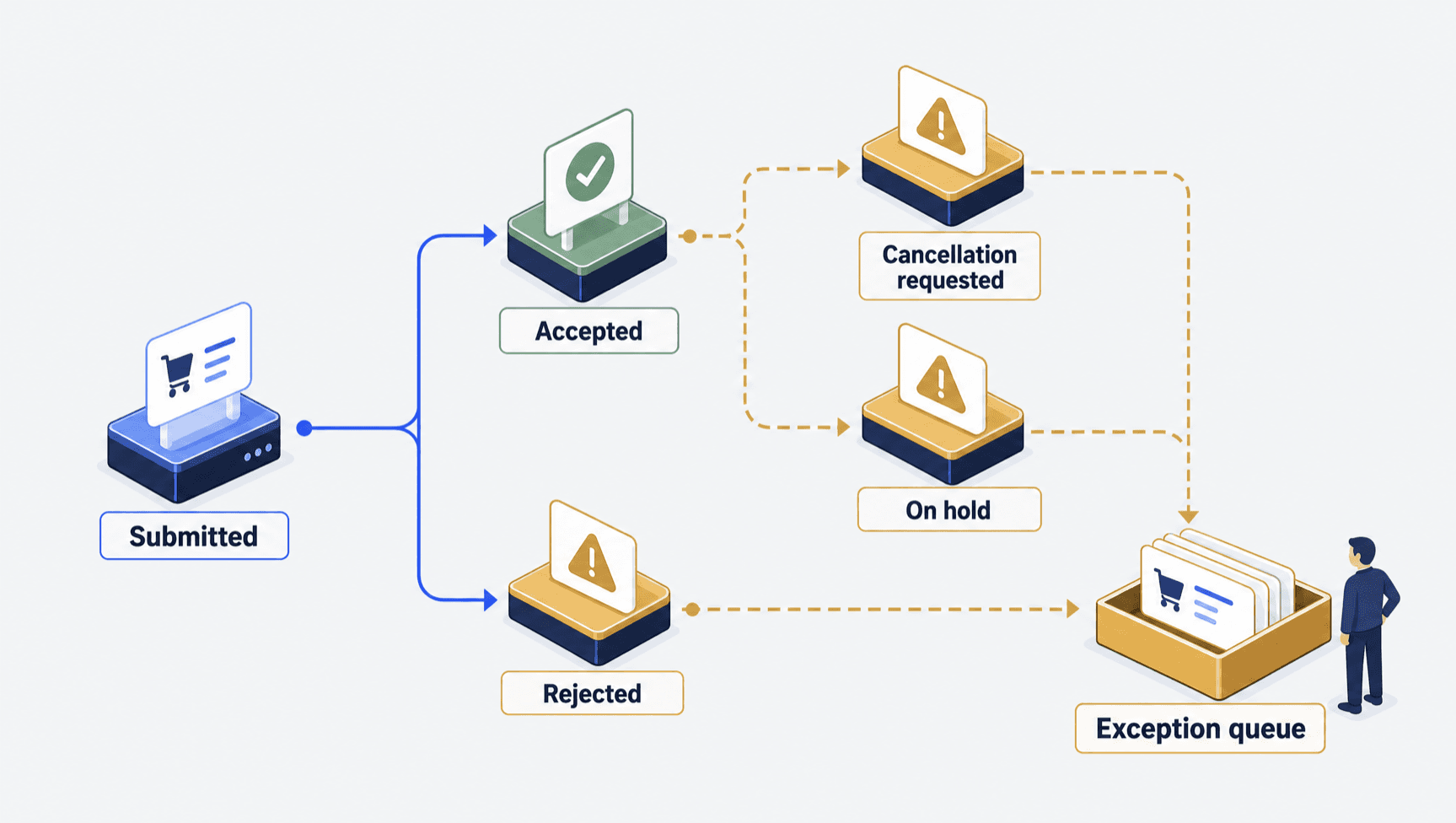
Rejected requests. Shopify says “the fulfillment service either accepts or declines the fulfillment, and the outcome is noted in the order timeline” (app fulfillment). A timeline note is not an alert. Decide who reads rejections, and how often.
Cancelling after the service says yes. After acceptance you must send a cancellation request. The warehouse can accept or reject it. Shopify is blunt on the same page.
It says: “Reverting an order to unfulfilled doesn’t stop your fulfillment service from fulfilling the order.” The order can still ship. You pay for the goods and the pick. Agree a cut-off time and tell support what it is.
Address changes. These land after checkout, often after the request went out. A hold pauses a fulfillment order until someone releases it. Shopify documents a mutation (a programmed instruction) that holds a fulfillment order.
The documented hold reasons include INCORRECT_ADDRESS. Confirm who sets and clears a hold.
Where a late change means a garment already cut to the old address, the stakes are physical. We build the Shopify Plus platform for SENE Studio. There, a named person accepted every one of 37 changes to the order systems between 14 July and 8 September 2026.
Order edits after export. Shopify lets you edit unfulfilled items but says “you can’t remove fulfilled items or adjust their quantity”. It also warns that “if you edit an order to remove an item, then your fulfillment app might not remove the item” (order editing). Ask whether edits are honoured, then write your support policy to match.
Short picks and splits. Shopify says a service “can create multiple fulfillments for a given fulfillment order if required, representing multiple packages to be shipped”. Decide who tells the buyer. Decide whether the remainder is held or dropped. A short pick is a stock event too.
Split locations. Order routing is the rule that picks which location ships an order. Shopify says “if a location has enough inventory to fulfill an entire order, then the order is assigned to that location” (locations). If none can, the order is split, or the highest-priority location oversells. A split means two tracking numbers and one confused buyer.
To the buyer, a rejection, a refused cancellation and an unreleased hold all look the same. The parcel has not moved. Route all three into one queue an operator can see.
Compare the same inventory state at the same moment
Stock is the handoff most often called broken when it is working as set up. Shopify tracks stock per location, and the 3PL has a location of its own. The two counts describe different shelves.
Shopify names five states. On hand is every unit at a location. Available is what you can sell.
Committed is set aside for open orders. Unavailable covers damaged, quality check and safety stock. Incoming cannot be sold yet.
Ask what your provider’s number measures. A shelf count is on hand. Set against Shopify’s available, it shows a gap that is not an error.
Where the service manages stock, Shopify documents that “a request for all inventory data happens once every hour” (build for fulfillment services, above). Ask which route your provider uses. Then compare both counts at one fixed time each week.
Check in this order: timing, what each number means, how products are matched, then a missed update. Each product is matched by its SKU, the stock code printed on it. Our guide to Shopify inventory sync problems walks that path.
Returns close the loop, and restocking is not silent
Shopify ticks Restock items on a refund when the item is inventory tracked. A refund therefore puts units back into sellable stock unless someone unticks it.
The same help page says “if you refund an unfulfilled item, then the item is removed from the order and can’t be fulfilled”. Someone at the warehouse decides whether the unit can be sold. Where it restocks is a choice to settle with the provider. It is not a default you inherit.
What breaks, and who owns it
The usual push-back is that this is too much detail, because the provider has done it hundreds of times. We have not measured how often it goes wrong for any provider. Three things break anyway. The provider does not own them.
- Nobody reads the order timeline. Rejections and refused cancellations live there and nowhere else. With no queue and no daily reader, the buyer spots it first.
- The counts are read in different states. A shelf count against Shopify’s available will always differ. Agree the state, the place and the moment first.
- The provider changes their app. An update or an API move can alter a handoff you tested once. Re-run the rows it touches.
Compare the same state, at the same location, at the same moment. A warehouse’s physical count and Shopify’s available quantity differ for valid reasons. Agree which state you are comparing before anyone calls the difference a bug.
Prove each handoff before go-live
Sign-off is a list of tests, each with a known start state and an agreed result. Our Shopify ERP integration guide has a worksheet these rows adapt to. ERP, or enterprise resource planning, is the system that holds your books and stock value.
An untested row stays untested. It is never a pass.
| Scenario | Acceptance condition to agree |
|---|---|
| First inbound received | The counted quantity appears at the 3PL location, and a short receipt reaches a named owner |
| Rejected fulfillment request | The rejection reaches a named owner, and the customer promise is resolved |
| Cancellation after acceptance | The warehouse response is in the order timeline, and the cut-off time is in the support macro |
| Address change before pick | A hold is applied and released, and the parcel ships to the corrected address |
| Short pick or split shipment | Shipped items and the remainder land in the agreed state, and the customer is told once |
| Inventory discrepancy check | The 3PL count and Shopify's available agree within the tolerance you set, at the fixed weekly time |
Cutover is the day you switch to the new setup. On that day, name who watches the queue each day, and who they call. Re-run affected rows when the provider changes their app, when routing rules change, or when the API version moves. If you are replatforming too, this belongs in the Shopify migration checklist.
Common questions
What is a Shopify 3PL integration?
It is the connection between a Shopify store and a third-party warehouse that picks and ships your orders. Shopify models the warehouse as a fulfillment service and creates a location for it. The warehouse’s stock, the fulfillment orders sent to it and the tracking it returns all hang off that one location.
How do you integrate a WMS with Shopify?
Register the warehouse as a fulfillment service through a custom app. Or use the 3PL’s own Shopify app if it has one. A custom app must offer a callback endpoint for fulfillment requests. It then reports fulfillments and stock back. Decide who owns that app, its alerts and its API upgrades.
Does Shopify stop a 3PL shipping an order I cancelled?
No. Shopify states that reverting an order to unfulfilled does not stop your fulfillment service from fulfilling it. After acceptance you must send a cancellation request the warehouse can accept or reject. Until it accepts, the order can still ship and you are charged.
Why does my 3PL's stock count not match Shopify's?
Usually because they measure different states. A warehouse physical count is Shopify’s on hand, which includes committed and unavailable units. Shopify’s available quantity is only what you can sell. Compare one named state, at one location, at one fixed moment each week.
How often does Shopify refresh inventory from a fulfillment service?
Shopify documents a request for all inventory data once every hour. That applies to a fulfillment service app with inventory management enabled. There are also requests for single SKUs at setup and when SKUs change. Confirm which route your provider uses, because some push on their own schedule.
Facts checked October 2026. Shopify’s build-for-fulfillment-services page was re-read on 5 October 2026. The other Shopify pages carry their 21 September 2026 read date. Re-check by 5 November 2026, before you sign anything. Sources: fulfillment service apps, build for fulfillment services, app fulfillment, fulfillmentOrderHold, FulfillmentHoldReason, order editing, locations, inventory states, multi-location inventory, refunding orders.