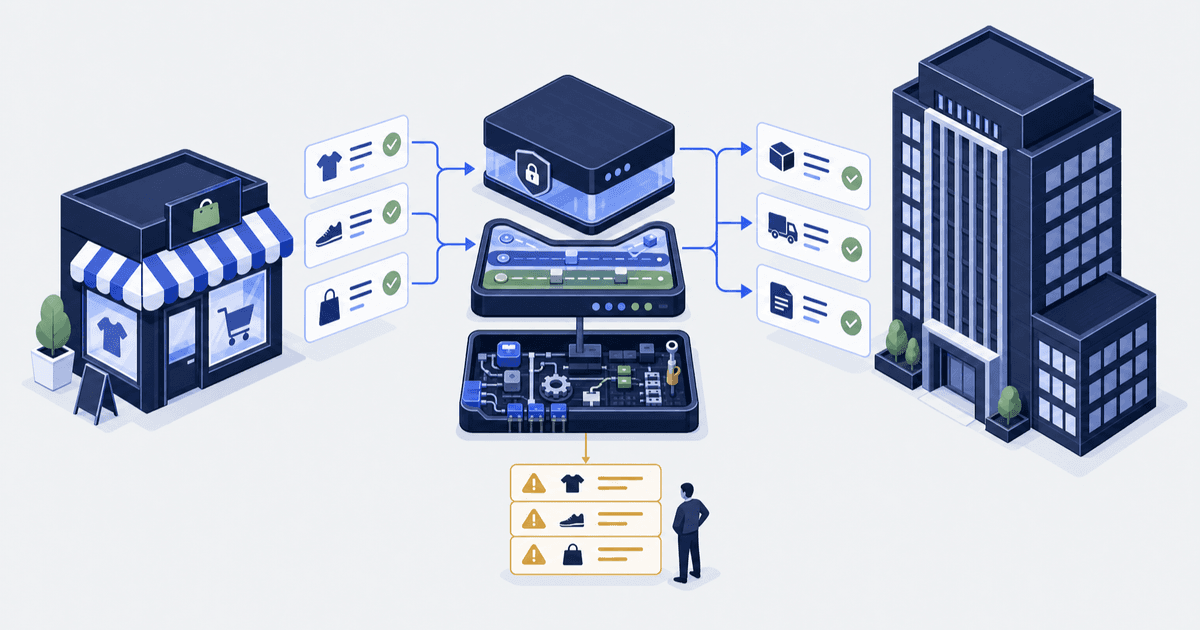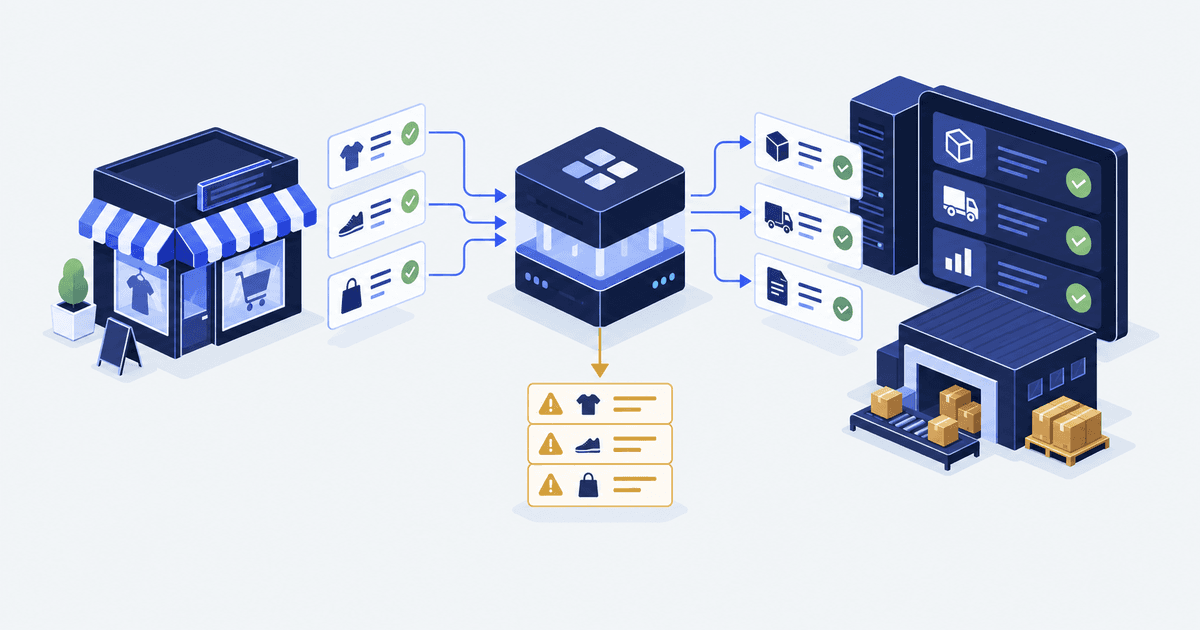

A customer edits an order on Tuesday morning. Shopify takes the change. Your ERP exported the first version at 06:00 and will not take it back. By Friday the warehouse has picked the wrong item, finance has posted the wrong total, and someone is retyping all three systems by hand.
An ERP (enterprise resource planning system) holds stock, buying, shipping and finance records in one place. That is not an ERP fault or a Shopify fault. It is an ownership fault. Two systems were allowed to change one field, and nobody wrote down which one wins.
The short answer. A Shopify ERP integration works when every shared field has one owning system, one write direction and a rule for clashing updates. Shopify retries a failed webhook 8 times over 4 hours, then stops, so add a scheduled sweep. Test an edited order, a split shipment and a refund before go-live.
| What Shopify documents | The figure | What your build does about it |
|---|---|---|
| Connection and whole-request timeout | 1 second and 5 seconds | Confirm receipt first. Queue the job, never run it inside the reply |
| Retries after no reply or an error | 8 tries over 4 hours | Treat a 4 hour outage as total loss, then catch up |
| Failures in a row before deletion | 8, for an Admin API subscription (a webhook sign-up made through the API) | Alert on the failure rate, not on the missing orders |
| Delivery and order | Not guaranteed. Repeats possible | Store the webhook id and skip a repeat. Never treat arrival order as business order |
| API version life | At least 12 months, with 9 months of overlap | Re-run your test list every quarter |
Sources: webhook delivery, webhooks overview, API versioning.
This guide is for the person who owns orders after launch
This is for the Shopify or Shopify Plus (Shopify’s enterprise plan) lead who owns orders, stock and the handoffs between systems. You run an ERP now, or you are about to buy one. Your real test: does Monday morning need a person to fix things?
It is not for a team picking an ERP, because that choice runs on other rules. It is also not for a store whose only add-on is a shipping app. If one system writes and the rest read, this is overhead.
We are a Shopify systems agency. The map below is the one we draw before writing a line of code in our Shopify integrations and custom apps work. If you run NetSuite, read the Shopify NetSuite connector guide next.
Ownership is a field-level call, not a system-level one
“The ERP is the source of truth” is too broad to settle a fight. A source of truth is the system whose record wins when two disagree. The warehouse knows what shipped. Shopify owns the order the customer sent. Your accounts system owns the money posting. The design has to say how those three facts connect.
For each record, write down four things: the stable id, the field owner, the systems allowed to write, and the sync direction. Syncing means keeping two systems’ records matching. Where two systems can change one field, say how a clash is spotted and which side wins. Last to arrive is not the same as newest.
| Record | Ownership decision | Rule to write down |
|---|---|---|
| Product and variant | Who owns ids and copy? | Map the ids and name the fields Shopify may edit |
| Stock | Who works out what is sellable at each place? | Fix the states, the holds and the write direction |
| Order | Who may edit an order after export? | Fix the export trigger and the edits allowed after it |
| Shipment | Which system confirms the shipment and tracking? | Tie each shipment to the right order and items |
| Money | Who owns posting and the monthly tie-out? | Map the references and send clashes to finance |
Write the map for whoever hunts a failure at 08:00.
Assign ownership before you connect anything. For each shared field, name the owning system. Name the systems allowed to write to it. Then write the rule that settles two updates arriving out of order. A field with no owner becomes a weekly manual repair.
Shopify’s five stock states are not interchangeable
Two systems can show different stock numbers and both be right, because they name different states. Shopify’s Help Center lists five: on hand, available, committed, unavailable and incoming.
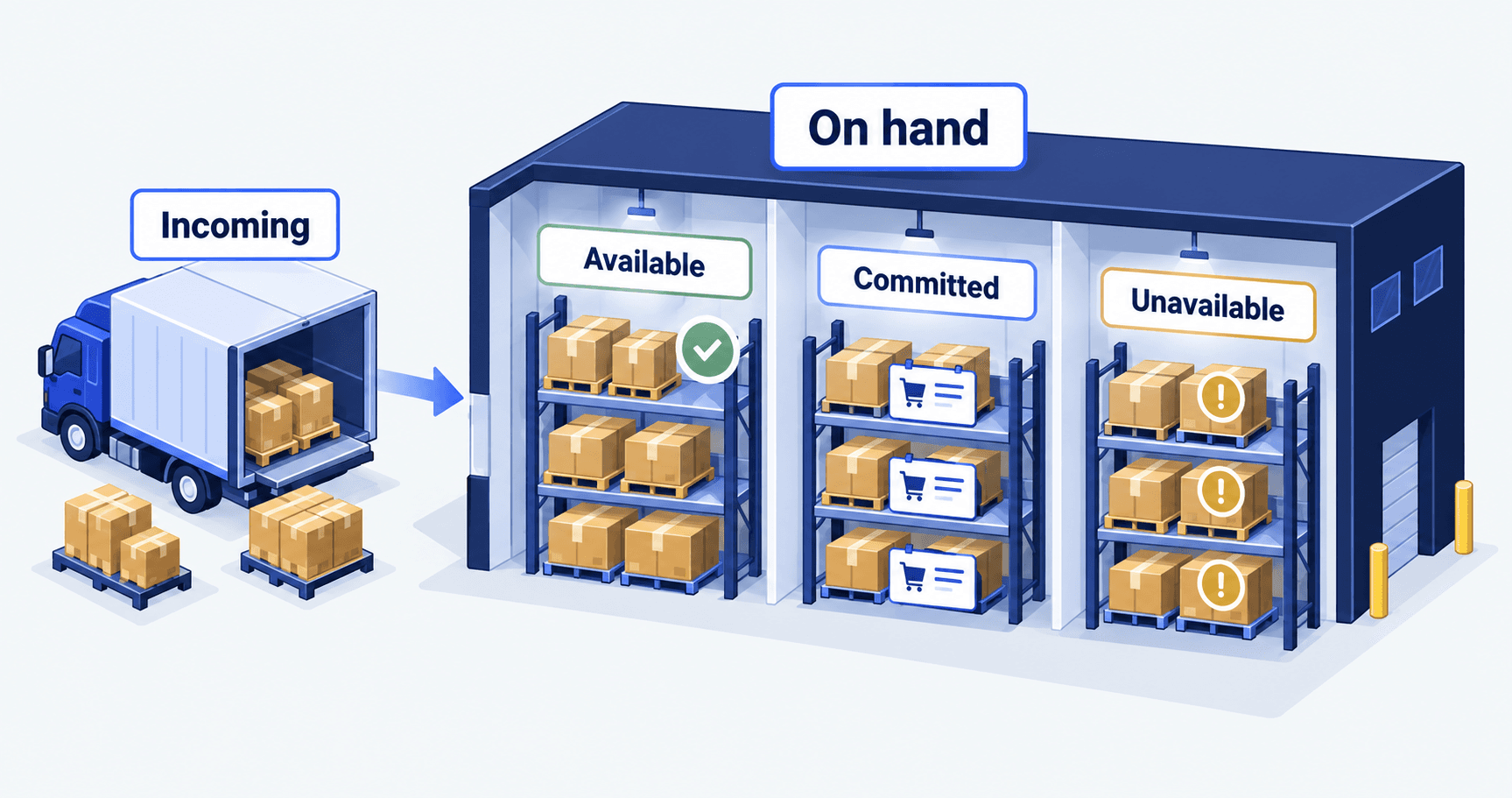
Map what the number means, not just the field name. Then pick one: does the sync write a whole number, or a change to it?
Shopify’s inventorySetQuantities call, an API request that sets stock, writes whole numbers and can check first. You send the number you think is stored, and the write fails if it has moved. Shopify’s docs show an ignoreCompareQuantity option that skips that check. Skip it, and concurrent requests can leave the wrong quantity (inventorySetQuantities). Our guide to Shopify inventory sync problems walks the four causes of a stock gap.
Webhooks start the work, and a sweep proves it finished
A webhook is a message Shopify sends your code when an event you signed up for happens, such as a new order. It starts work. It does not prove the work finished.
Shopify’s docs say “webhook delivery isn’t always guaranteed”. They also say Shopify “doesn’t guarantee ordering within a topic, or across different topics for the same resource” (webhooks). A missing message is a normal Tuesday.
Idempotent means handling the same message twice leaves the same result as handling it once. Shopify names the X-Shopify-Webhook-Id header as the key to store (verify deliveries). That id stops repeat sends. It will not stop a second order made by your own retry path, so keep a stable business id in the other system too.
The same page suggests a reconciliation job. That is a check on a timer. It re-reads Shopify for a set of records and a time window, then compares them with the other system. Write the compare rule first, or the sweep just makes a longer report. Size the sweep against Shopify API rate limits, or a large backfill stalls on the first throttled call.
Exceptions need an owner, a queue and a checked repair
A log line tells a coder that something threw. It does not tell you that an order needs a human by mid-afternoon. Build an exception view with five columns: the record, the reason, first seen, last try, and the team on the hook. Keep customer detail out of it.
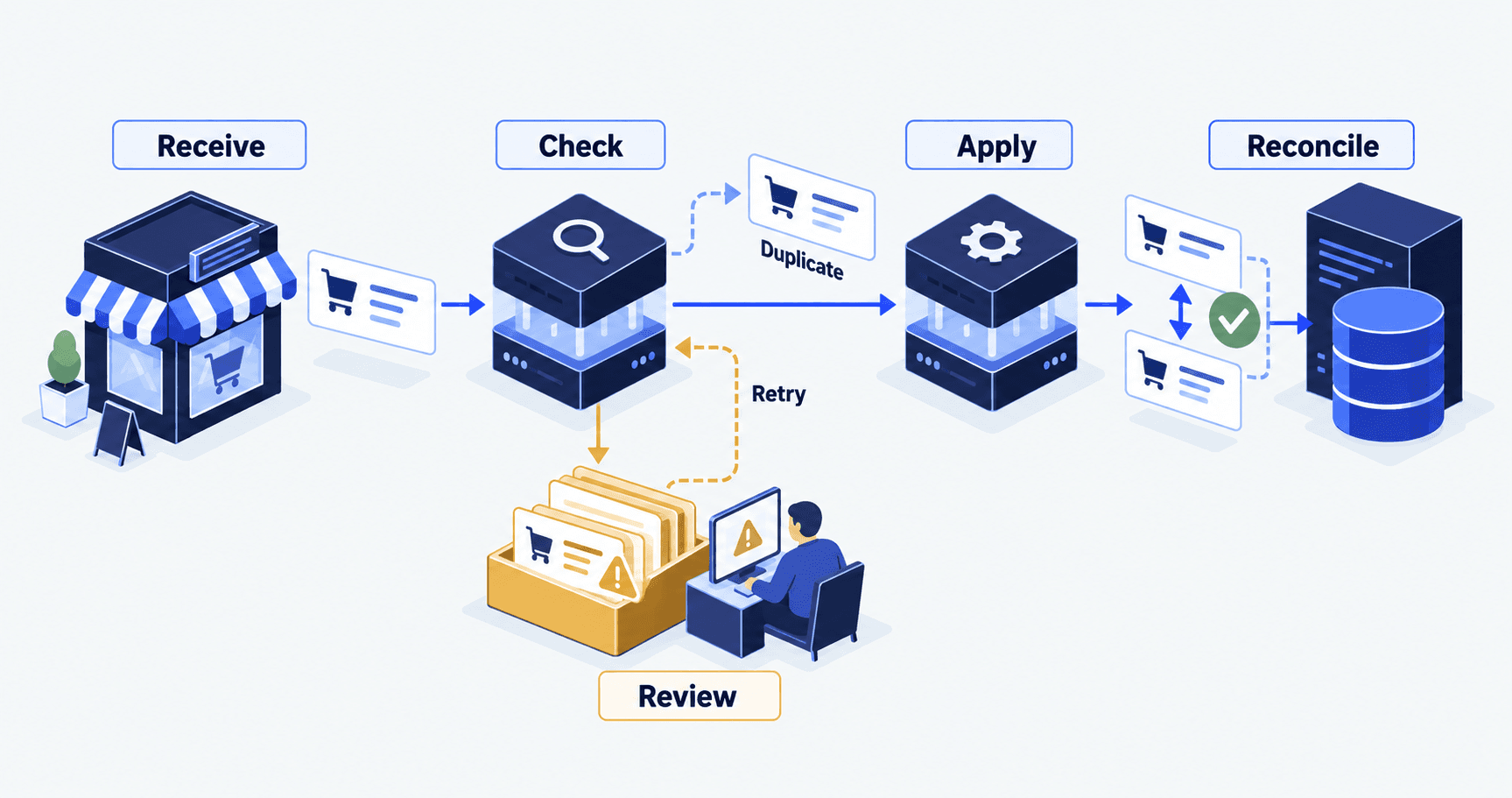
Split a short outage from bad data. For example, a target that threw errors for ten minutes earns a retry. An unmapped product code, or SKU (stock keeping unit), does not. Unmapped means no rule links it to its twin in the other system. Retry it over and over and the queue fills while the broken mapping hides.
After a repair, check the business result, not the job status. “Retry succeeded” has to mean the right order exists once, with the right stock state and shipping record.
Pick a connector on coverage and running cost, not the feature list
Compare three routes against the same list of journeys.
-
A supported connector. A prebuilt app that links the two systems. Right when its data model already covers what you need. Check the ERP version, the objects it handles, and who owns support.
-
An integration platform. Software that moves data between systems for you. Right when you need reshaping, several systems or managed routing. Ask who keeps the flows running in month nine.
-
Custom code. Right when neither of the others can meet a real need safely. Scope the upkeep and tests too.
Make every vendor show your awkward cases: an order edited after export, a split shipment, a missing product mapping, a target that is down. For named ERPs, we compare these routes in the NetSuite guide.
Test the awkward journeys before go-live, then every quarter
Run each case in a test store, from a known start state, against a result you agreed in writing. Log the input, expected result, real result and proof. An untested case is not a pass.
| Journey | Bar it has to clear |
|---|---|
| New eligible order | One record in the ERP, matching ids, agreed values |
| Repeat send | No second order and no repeat stock effect |
| Target system down | Work stays recoverable and the owner sees it |
| Order edited after export | Each system takes the change or raises an exception |
| Part shipment | The right items ship and the rest holds its agreed state |
| Missed update | The sweep finds the gap and the repair keeps newer changes |
Then diarise the re-run. Shopify releases a new API version every quarter. An API version is a dated release of the interface apps use to talk to Shopify. Each stable version lasts at least 12 months, with at least nine months of overlap (API versioning). If your app targets a version that is no longer accessible, Shopify “falls forward” and responds with the oldest accessible stable version. Your sync then changes behaviour with nobody deploying a thing.
Keep the result, not the green tick. A passed test has an input and an expected result. It also has the records you saw and proof someone else could repeat. Re-run the affected tests whenever a connector, an API version or a business rule changes.
What breaks after go-live, and who owns it
The fair objection: you already have a connector from the app store, and orders reach the ERP, so why draw a map at all? Because every failure below hits a working connector. Four of the five are not connector bugs.
| What breaks | What you see | Who owns it |
|---|---|---|
| The subscription is deleted after 8 failures in a row | Orders stop arriving, with no error and no deploy | Whoever runs the sync, alerting on the failure rate |
| The API version falls forward | Field behaviour shifts on a quarter boundary | Whoever holds the app, re-running the test list each quarter |
| Two systems write one field | The same order flips between two states | The field owner named in the map above |
| Nobody reads the exception queue | A customer reports the same error a third time | You, reading the queue on a fixed day |
| A product mapping is missing | One SKU fails, retries endlessly, hides the rest | Whoever owns the catalogue, fixing the map before the retry |
A finished job is not proof the change happened. At Container One, a sync app marked jobs finished even when Shopify had rejected them, then deleted them from the queue. The missing products traced back to errors the code discarded.
If the job also moves old account and invoice data, keep that apart from daily order sync. Our B2B invoice migration guide covers the first. Merging both into one switch-over weekend is how dates slip.
Questions operators ask before sign-off
What is a Shopify ERP integration?
It is an agreed set of records moving between Shopify and your ERP. Each shared field has one owning system, one write direction, and a written rule for two updates that clash. The connector is only the pipe. The ownership map decides whether it stays reliable.
Do webhooks alone keep Shopify and my ERP in sync?
No. Shopify says delivery is not guaranteed, order is not guaranteed, and a failing receiver gets 8 tries over 4 hours. After 8 failures in a row an Admin API subscription is deleted. A scheduled sweep catches the rest.
Why do my warehouse count and my Shopify stock never match?
Often the sync is not broken. Shopify holds five stock states and only available is sellable. Compare the same state at the same location before you call it a bug.
How often should we re-test a live Shopify ERP sync?
At least every quarter, because Shopify releases a new API version each quarter. Re-run the affected tests at once when a connector or business rule changes.
Do I need a custom Shopify ERP integration?
Only if a supported connector or integration platform cannot meet a real need safely. Test them against your ERP version, record types, order edits and recovery needs first. Compare the ongoing repair effort as well as the build.
Facts checked October 2026. Shopify pages were re-read on 5 October 2026. Re-check limits before you build, and by 5 November 2026 at the latest. Sources: webhook delivery, webhooks overview, API versioning, inventory states, inventorySetQuantities.